Create Opening Balance
Overview
When setting up accounting in CURQ, it is common to start with an opening balance. The opening balance represents the financial position of your company at the start of your accounting records.
For a new business, the opening balance may include the money or assets invested in the company. For an existing business moving to CURQ, the opening balance is used to transfer balances from the previous accounting system.
Opening balances are often prepared in collaboration with an accountant or bookkeeper.
Create an Opening Balance Entry
To create an opening balance, navigate to:
Invoicing → Accounting → Journal Entries
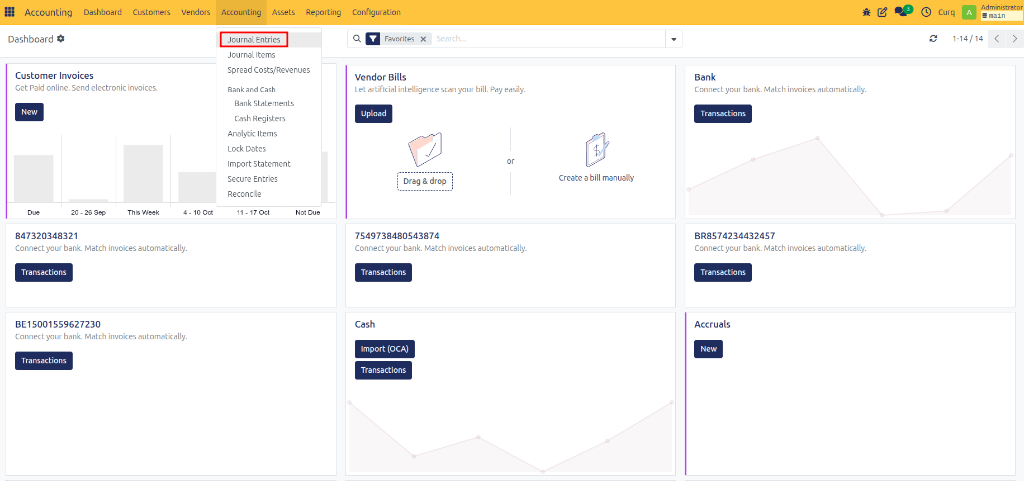
Click New to create a new journal entry.
Enter General Information
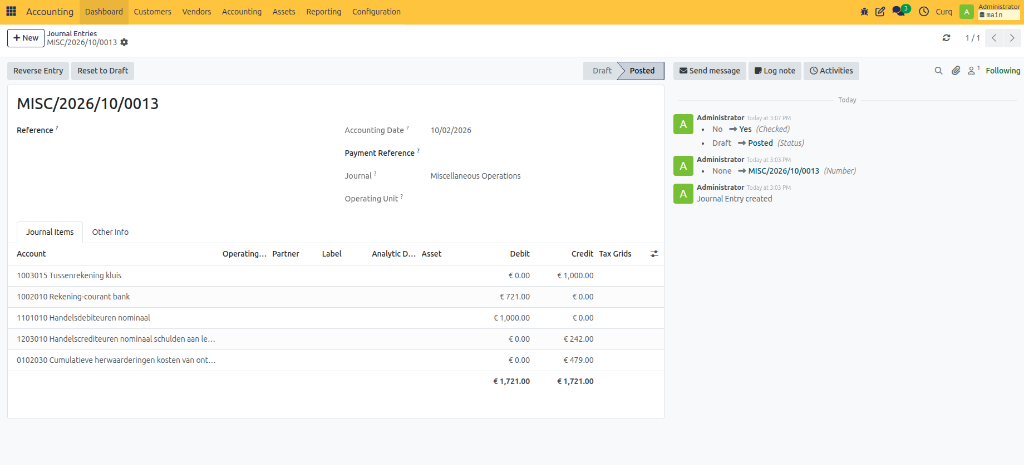
Reference
Enter a clear description for the journal entry.
Examples:
Opening Balance 2026
Opening Balance Migration
This helps identify the purpose of the entry later.
Accounting Date
Select the accounting date for the opening balance.
Common practices include:
31 December of the previous financial year.
Last day of the previous month when switching to CURQ during the year.
If you are unsure which date to use, consult your accountant.
Journal
Select the Miscellaneous Journal (also known as the Memorial Journal) for the opening balance entry.
Add Opening Balance Lines
After entering the general information, add the journal entry lines.
Account
Select the appropriate general ledger account.
Examples:
Bank Account
Accounts Receivable
Accounts Payable
Equity Account
Fixed Assets
Partner
If the opening balance includes outstanding customer invoices or supplier bills, select the related customer or supplier.
Create a separate line for each customer or supplier balance.
For large numbers of outstanding invoices, it may be easier to create separate opening balance entries for:
Customers
Suppliers
General balances
Label
Enter a meaningful description for each line.
Examples:
Opening Bank Balance
Outstanding Customer Invoice
Supplier Balance Transfer
If outstanding invoices are included, you can use the invoice number as the label.
Debit
Enter the amount on the debit side of the journal entry.
Credit
Enter the amount on the credit side of the journal entry.
Verify the Balance
Before posting the opening balance, verify that the journal entry is balanced.
The total of all Debit amounts must be equal to the total of all Credit amounts.
CURQ displays the totals at the bottom of the journal entry.
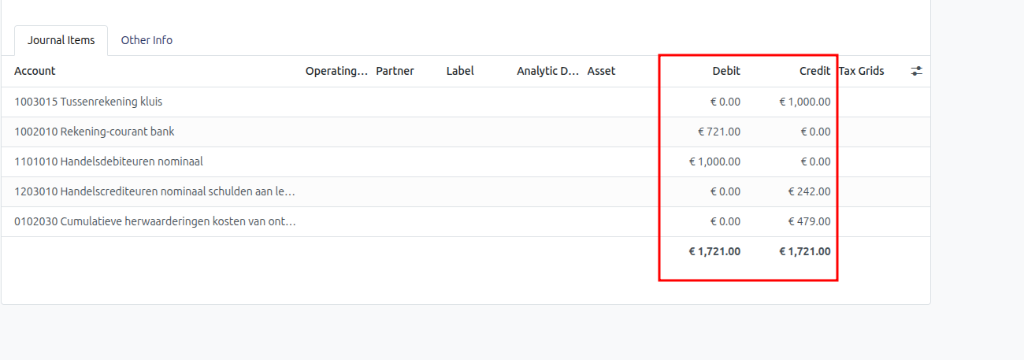
The journal entry cannot be posted until the debit and credit totals match.
Example
Account |
Debit |
Credit |
|---|---|---|
Bank Account |
€10,000 |
|
Accounts Receivable |
€2,000 |
|
Accounts Payable |
€1,000 |
|
Owner’s Equity |
€11,000 |
Total Debit = €12,000
Total Credit = €12,000
Because both totals are equal, the opening balance can be posted.