Configure Payment Methods
Overview
Payment Methods define how customers can pay invoices and how businesses can make payments to suppliers. They are used together with payment providers, bank journals, and online payment integrations to process transactions efficiently.
Examples of payment methods include:
Manual Payment
Credit Card
Bank Transfer
SEPA Direct Debit
Online Payment Providers (such as Stripe or Mollie)
Payment methods help control payment processing, refunds, recurring payments, and customer checkout experiences.
Access Payment Methods
Navigate to:
Accounting → Configuration → Payment Methods
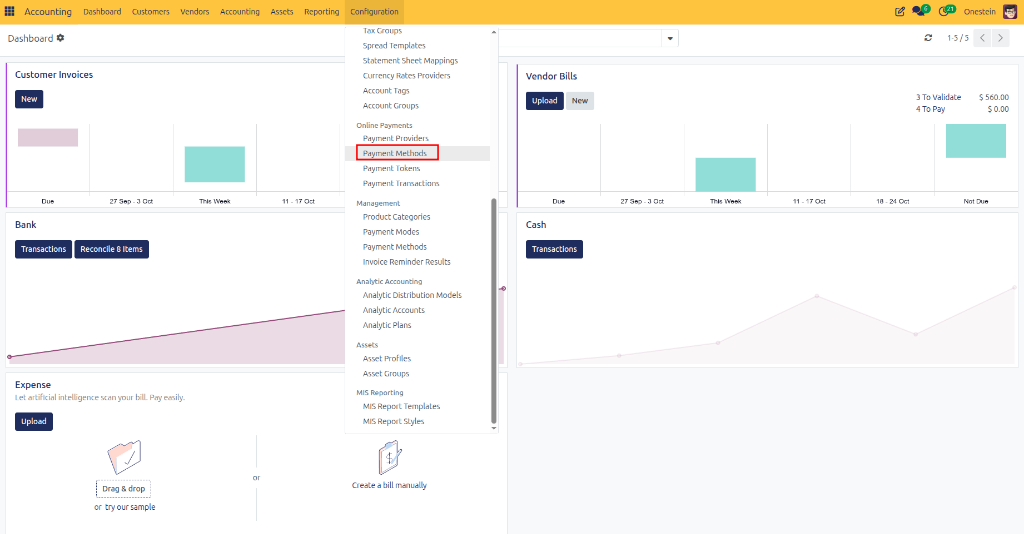
The Payment Method form contains three sections:
General Information
Providers
Configuration
General Information
Field Descriptions
Field |
Description |
|---|---|
Code |
Unique internal identifier for the payment method. |
Active |
Enables or disables the payment method. |
Countries |
Countries where this payment method can be used. Leave empty to allow all countries. |
Currencies |
Currencies supported by this payment method. Leave empty to allow all currencies. |
Providers Tab
The Providers tab displays all payment providers that support this payment method.
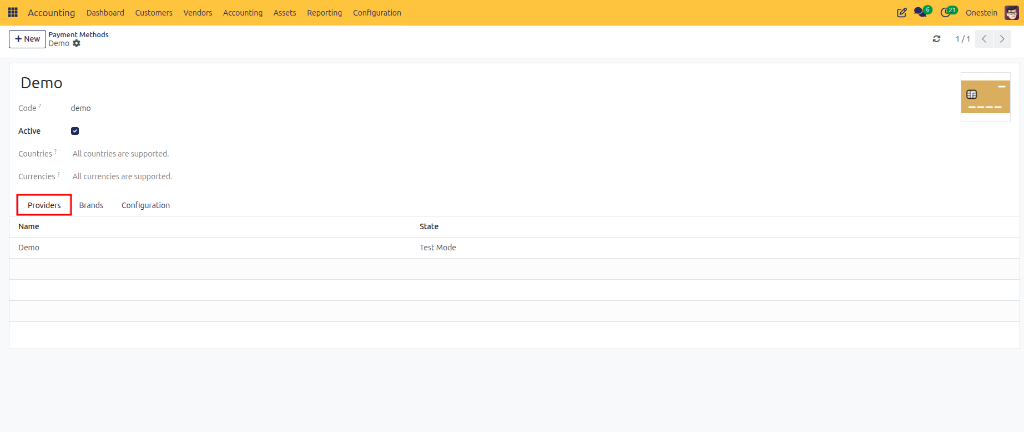
Examples:
Stripe
Mollie
PayPal
Adyen
Fields
Field |
Description |
|---|---|
Name |
Provider name. |
State |
Current provider status (Test Mode, Enabled, Disabled, etc.). |
Example: A payment method may be connected to a provider running in Test Mode during setup and testing before it is used in production.
Brands Tab
Some payment methods support multiple brands.
Examples:
Visa
Mastercard
American Express
Maestro
The Brands tab allows you to manage which brands are available for the payment method.
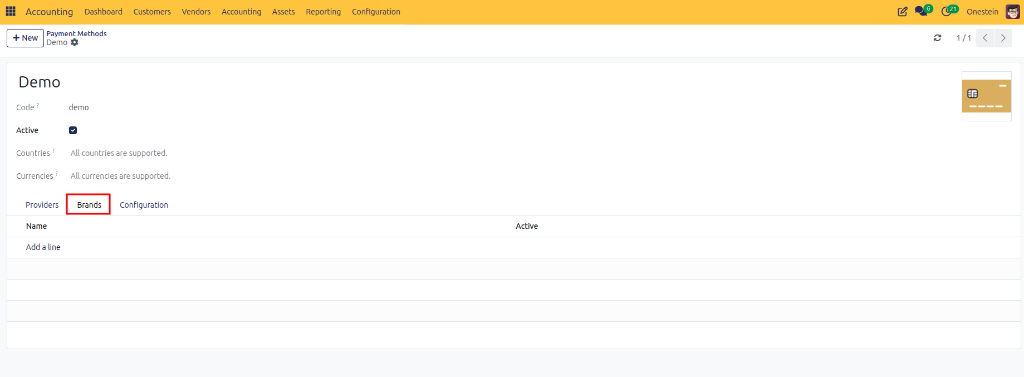
Fields
Field |
Description |
|---|---|
Name |
Brand name. |
Active |
Indicates whether the brand is available for use. |
Configuration Tab
The Configuration tab controls advanced payment behavior.
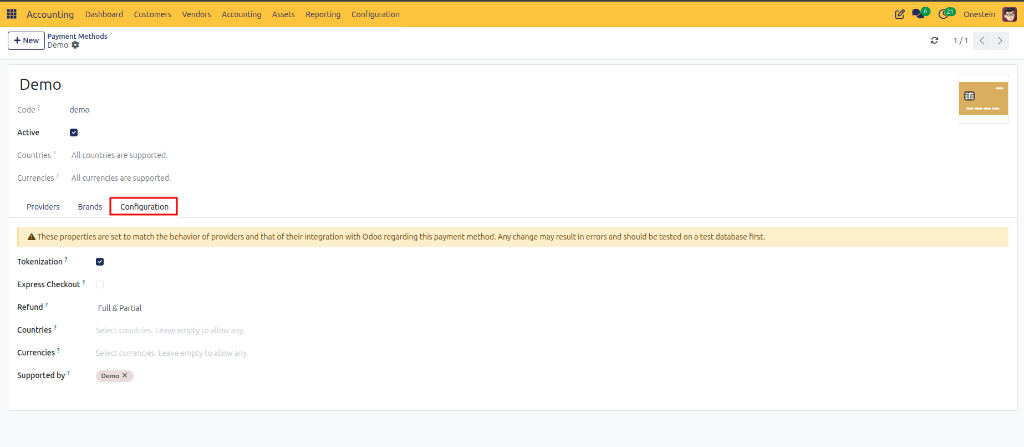
Field Descriptions
Field |
Description |
|---|---|
Tokenization |
Allows customers to securely save their payment details for future transactions. |
Express Checkout |
Enables a faster checkout process with fewer payment steps. |
Refund |
Defines whether full refunds, partial refunds, or no refunds are supported. |
Countries |
Restricts the payment method to specific countries. Leave empty to allow all countries. |
Currencies |
Restricts the payment method to specific currencies. Leave empty to allow all currencies. |
Supported By |
Lists the payment providers that support this payment method. |
Tokenization
Tokenization allows payment information to be stored securely by the payment provider.
Benefits:
Faster repeat purchases
Subscription payments
Improved customer experience
Secure payment storage
Customers do not need to re-enter card details for every purchase.
Express Checkout
Express Checkout provides a simplified payment flow.
Benefits:
Faster checkout process
Fewer clicks for customers
Reduced cart abandonment
Improved conversion rates
Examples include one-click payment options and quick payment buttons.
Refund Options
Payment methods may support different refund capabilities.
Option |
Description |
|---|---|
Unsupported |
Refunds cannot be processed through this payment method. Any refund must be handled manually outside the payment provider. |
Full Only |
Only full refunds of the original payment amount are allowed. Partial refunds are not supported. |
Full & Partial |
Both full and partial refunds can be processed through the payment provider. |
Example: A customer pays €100 and returns goods worth €25. A partial refund of €25 can be processed.