Journal Items
Journal Items provide a detailed view of all accounting lines created in CURQ. Every journal entry consists of one or more journal items that record the debit and credit movements for specific accounts.
You can access the Journal Items menu through:
Accounting → Accounting → Journal Items
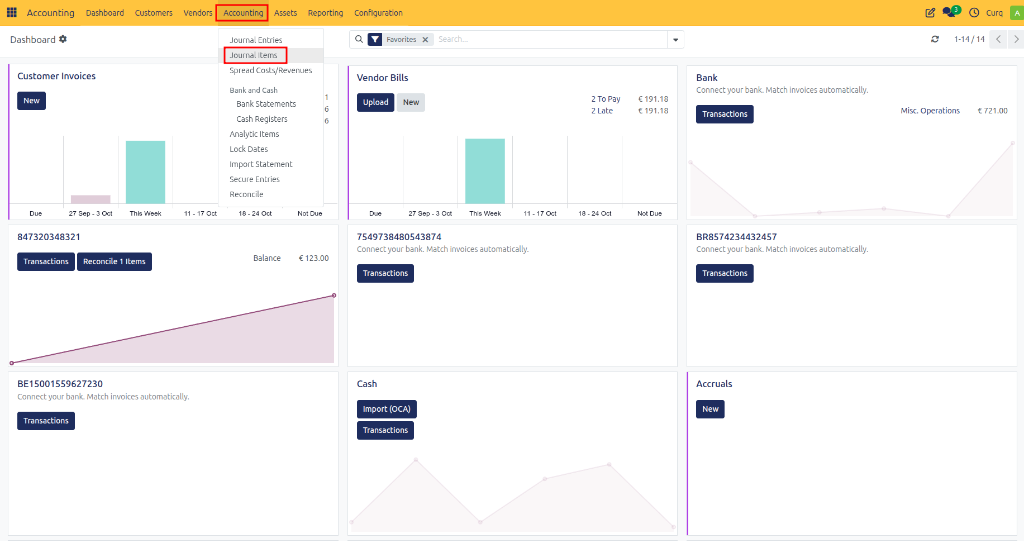
This view allows users to review, search, filter, and analyze all accounting transactions recorded in the system.
Journal Items Overview
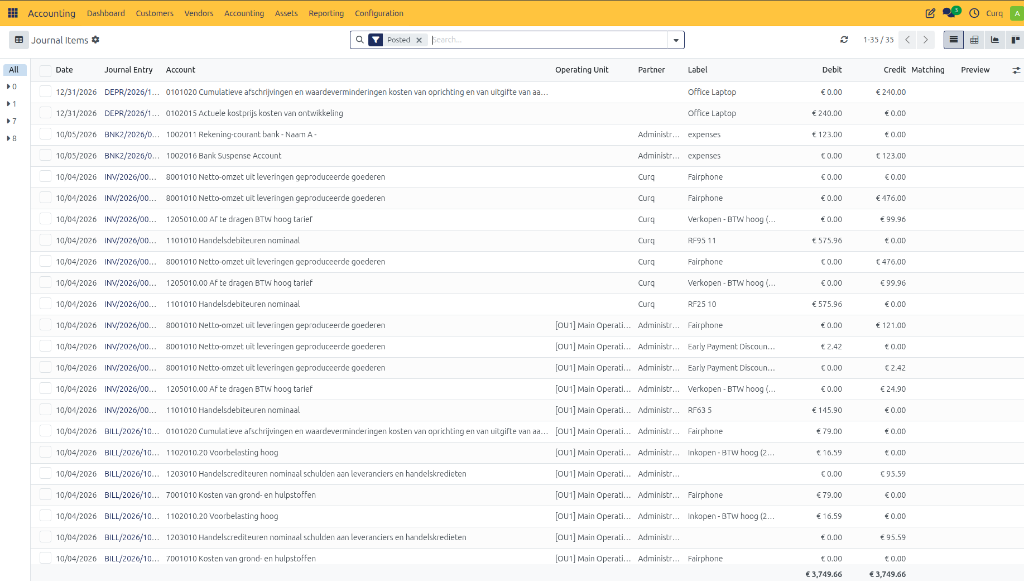
The Journal Items list displays every accounting line created from:
Customer invoices
Vendor bills
Payments
Bank transactions
Asset depreciation entries
Manual journal entries
Other accounting operations
Each row represents a single debit or credit posting.
Journal Item Fields
Field |
Description |
|---|---|
Date |
The accounting date of the journal item. |
Journal Entry |
The journal entry number to which the line belongs. |
Account |
The general ledger account used for the posting. |
Operating Unit |
The operating unit or business division associated with the transaction. |
Partner |
The customer, supplier, or contact linked to the journal item. |
Label |
A description explaining the transaction line. |
Debit |
The amount debited to the account. |
Credit |
The amount credited to the account. |
Matching |
Indicates whether the journal item has been reconciled or matched with another transaction. |
Preview |
Provides quick access to view related transaction details. |
Searching and Filtering Journal Items
The Journal Items screen provides powerful search and filtering options.
You can filter journal items by:
Journal Entry
Account
Customer
Supplier
Date
Journal
Operating Unit
Posted Entries
Draft Entries
These filters help users quickly locate specific accounting transactions.
Viewing Transaction Details
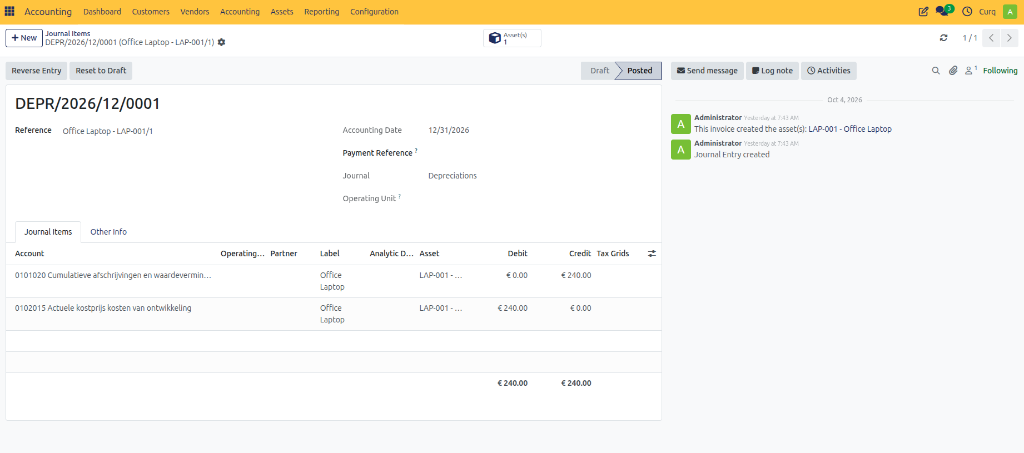
Clicking a Journal Entry number opens the complete journal entry, allowing you to review:
Header information
Debit and credit lines
Related partner information
Tax information
Reconciliation details
This makes it easy to trace accounting movements back to their source document.