Sales Team Setup
Configure sales teams, assign team leaders, define monthly invoicing targets, and organize salespeople in CURQ 18.
1. Overview of Sales Teams
Sales teams allow you to structure your commercial organization by division, region, or product focus (such as Direct Sales, Wholesale, or North America).
Configuring sales teams enables:
Automatic Team Assignment: When a salesperson drafts a quotation, their default sales team automatically links to the order.
Target Tracking: Set a monthly invoicing goal and track team revenue attainment in real time.
Segmented Reporting: Filter and group sales performance reports by team in pivot tables and graphs.
2. Access the Sales Teams Menu
To view and manage sales teams:
Open the Sales app.
In the top navigation bar, click Configuration.
Select Sales Teams.
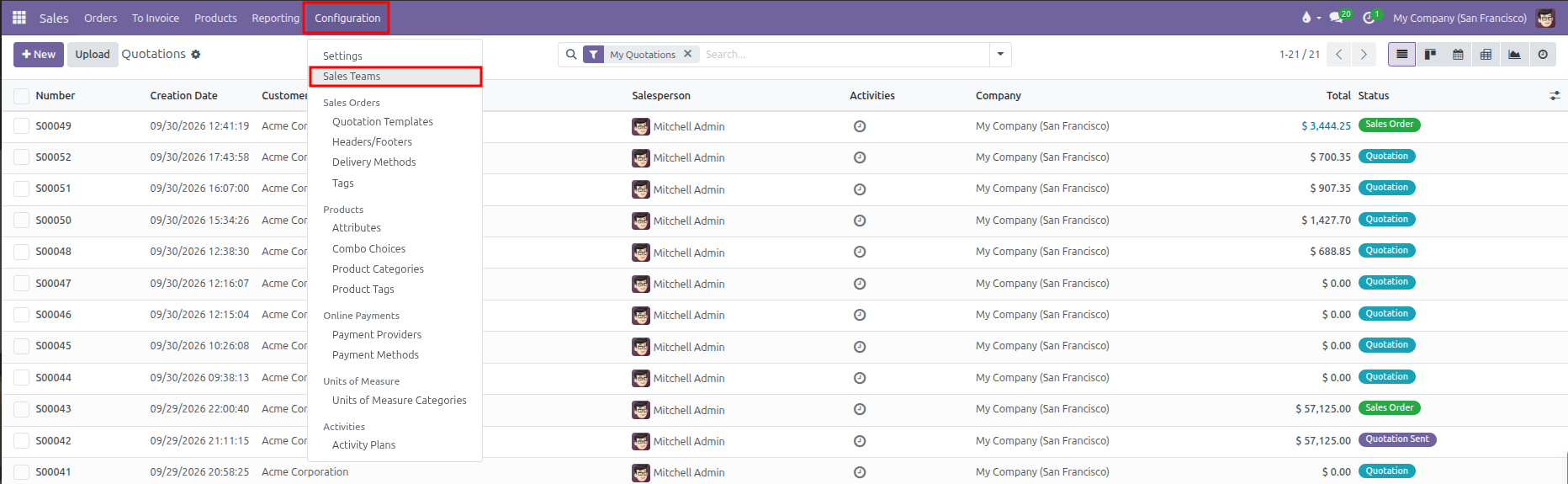
CURQ displays the list of existing sales teams showing team names, team leaders, and associated companies:

3. Create or Edit a Sales Team
To create a new sales team:
From the Sales Teams list, click New at the top left.

Enter the Sales Team name (such as
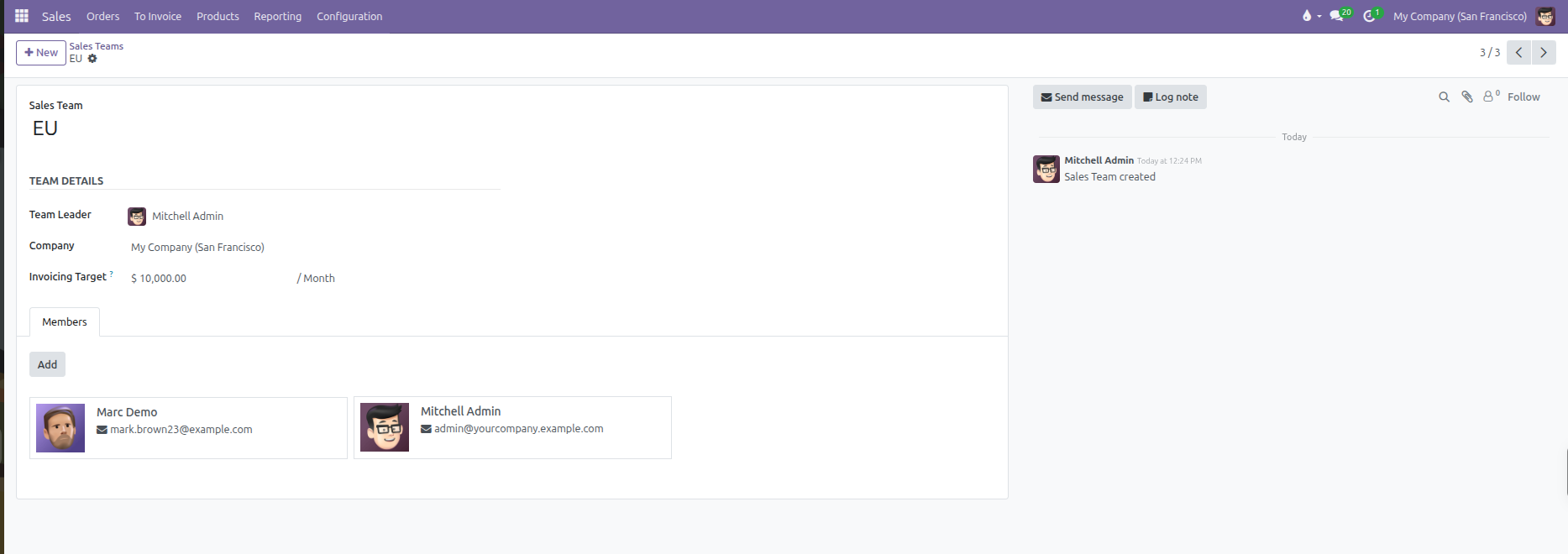
Enterprise SalesorEMEA Region).Configure the team details in the main form:
Field |
Description |
Practical Effect |
|---|---|---|
Sales Team |
The title or regional label of the team. |
Appears in filters, reporting, and quotation assignment dropdowns. |
Team Leader |
The manager or supervisor heading the team. |
Acts as the primary point of contact and can receive team escalations. |
Invoicing Target |
Monetary revenue goal per month. |
Displays a live progress bar on the sales team dashboard tracking monthly billed revenue against this benchmark. |
Company |
Assigned legal entity (in multi-company databases). |
Restricts this sales team and its performance data to the selected subsidiary. |
4. Assign Team Members
Under the Members tab on the sales team form:
Click Add to open the user directory.
Select the salespeople who belong to this team.
Click Select.
By default in CURQ, each salesperson belongs to a single sales team. If you add a user who is already a member of another team, CURQ displays an alert banner:
“Adding [Salesperson] in this team will remove them from [Other Team].”
5. Sales Teams on Quotations and Orders
When creating a sales quotation:
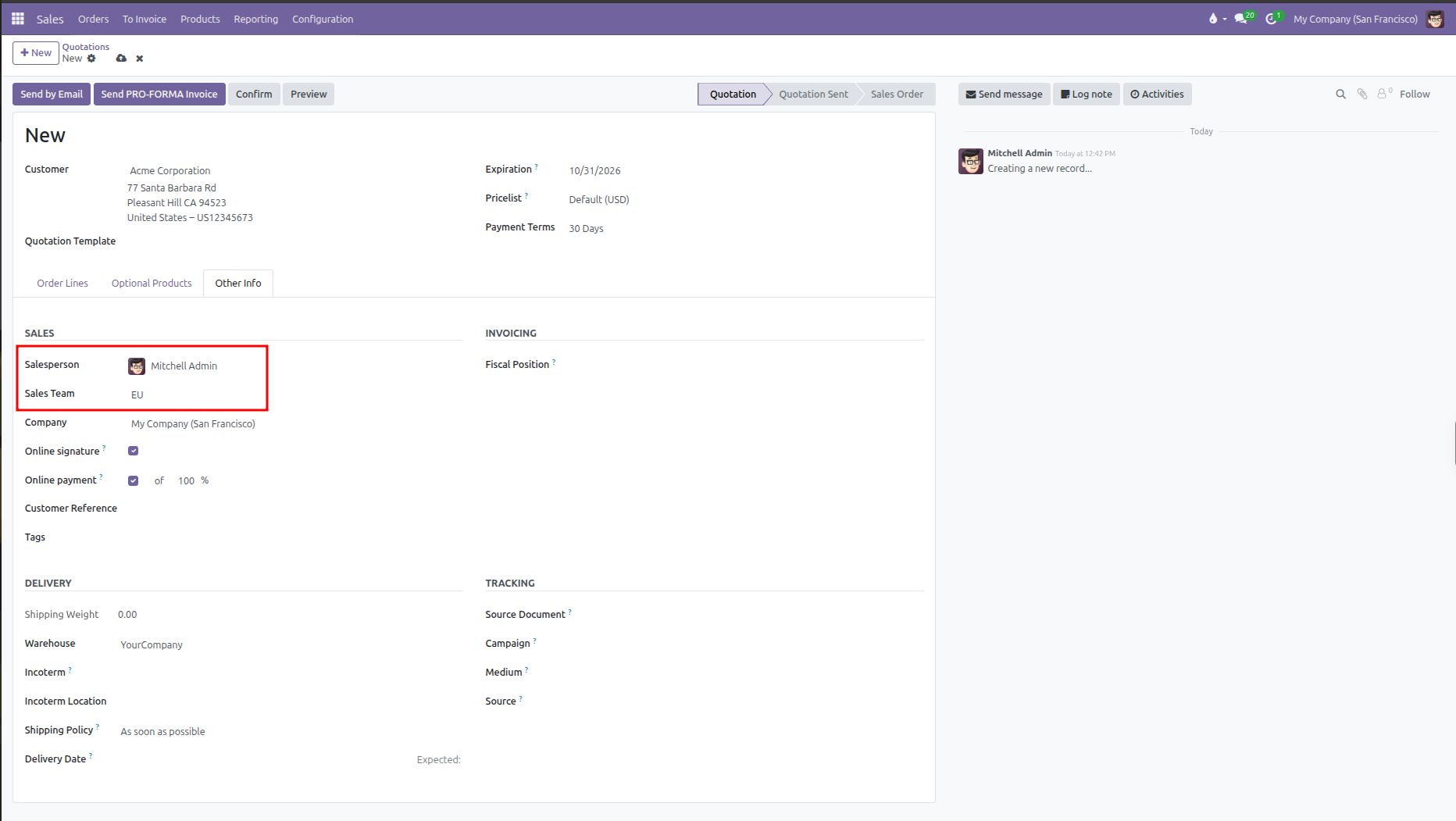
Open the quotation and select the Other Info tab.
The Sales Team field automatically populates based on the default team of the selected Salesperson.
Sales managers can manually override the sales team by selecting a different team from the dropdown.
6. Sales Team Dashboard and Target Tracking
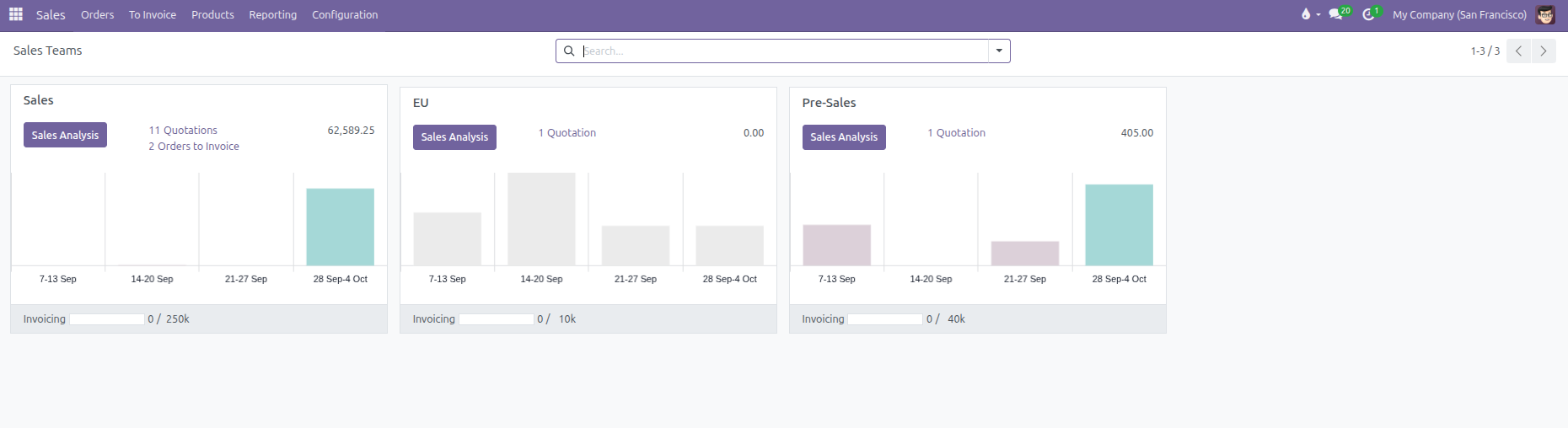
CURQ provides a dedicated visual dashboard for monitoring team targets:
Go to Sales > Orders > Sales Teams.
Each sales team appears as a Kanban card showing:
Sales Analysis: One-click access to filtered performance reports, graphs, and pivot tables.
Pipeline Metrics: Counts and monetary totals for open quotations and confirmed orders ready to invoice.
Volume Trends: Weekly sales trend charts across the current month.
Invoicing Progress Bar: Real-time meter showing total invoiced revenue against the monthly target.
Click any metric link or chart on the card to jump directly into the filtered records for that team.