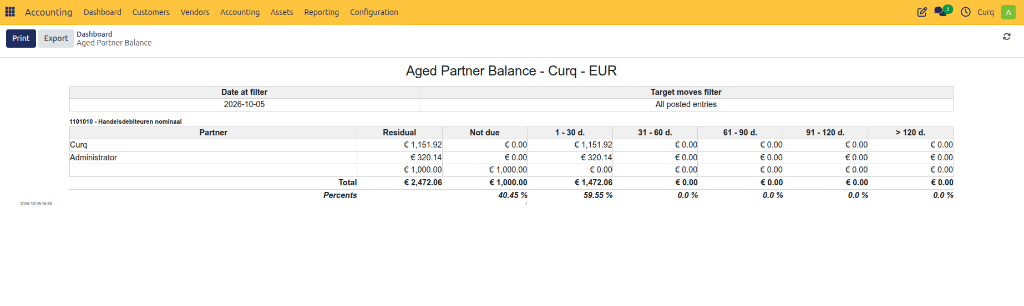
Aged Partner Balance
Overview
The Aged Partner Balance report helps track outstanding customer and supplier balances based on how long they have been overdue.
It categorizes unpaid amounts into aging periods (for example: Current, 30 Days, 60 Days, 90 Days, and Older) so you can quickly identify overdue invoices and bills.
This report is commonly used for:
Monitoring overdue customer invoices.
Following up on outstanding payments.
Reviewing supplier balances.
Managing cash flow.
Credit control and collections.
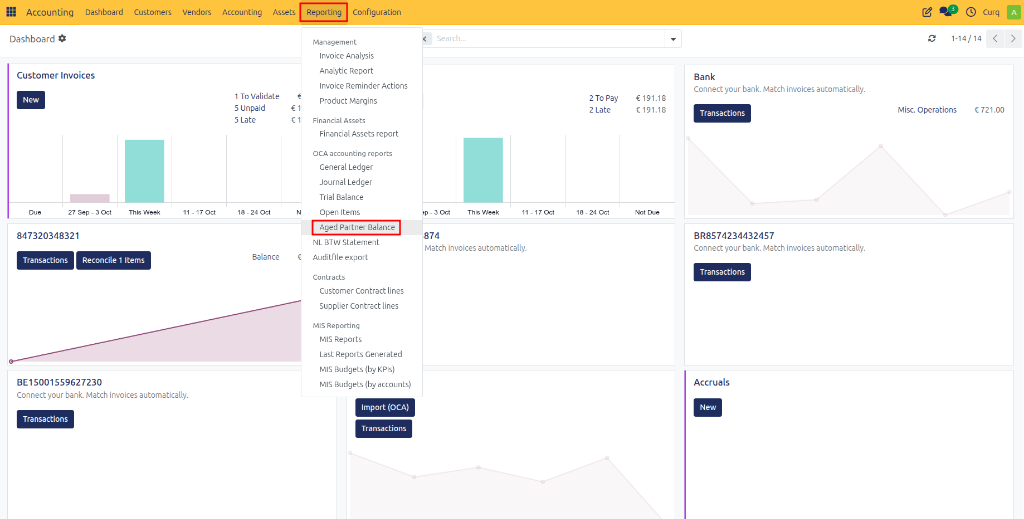
Navigate to: Accounting → Reporting → Aged Partner Balance
Report Fields
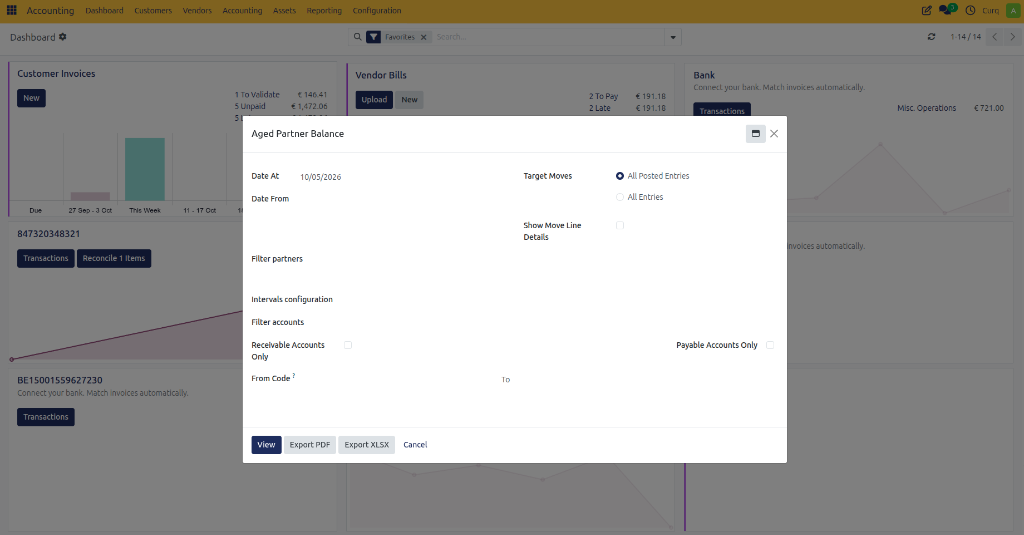
Before generating the report, you can configure several filters to display the required data.
Reporting Period
Field |
Description |
|---|---|
Date At |
Generates the aging report as of the selected date. Outstanding balances are calculated up to this date. |
Date From |
Includes transactions from the specified start date onward. |
Entry Filters
Field |
Description |
|---|---|
Target Moves |
Determines which accounting entries are included in the report. |
All Posted Entries |
Includes only validated accounting entries. |
All Entries |
Includes both draft and posted entries. |
Show Move Line Details |
Displays individual journal item details for each outstanding balance. |
Partner Filters
Field |
Description |
|---|---|
Filter Partners |
Select specific customers or suppliers to include in the report. |
Aging Configuration
Field |
Description |
|---|---|
Intervals Configuration |
Defines how aging periods are grouped, such as Current, 30 Days, 60 Days, 90 Days, and older balances. |
Account Filters
Field |
Description |
|---|---|
Receivable Accounts Only |
Displays only customer receivable balances. |
Payable Accounts Only |
Displays only supplier payable balances. |
From Code |
Starting account code to include in the report. |
To |
Ending account code to include in the report. |
Available Actions
Action |
Description |
|---|---|
View |
Displays the Aged Partner Balance report on screen. |
Export PDF |
Downloads the report as a PDF document. |
Export XLSX |
Downloads the report as an Excel spreadsheet. |
Cancel |
Closes the wizard without generating the report. |
Viewing the Report
Once generated, the Aged Partner Balance report visually separates outstanding receivables and payables into aged intervals.