Contact Titles Setup
Configure salutations and professional titles for individual contacts in CURQ 18.
1. Overview of Contact Titles
Contact titles provide standard salutations and academic designations for people in your directory. They help maintain professional communication across customer emails, quotes, and delivery notes.
Standard titles included in CURQ:
Mister (Abbreviation:
Mr.)Madam (Abbreviation:
Mrs.)Miss (Abbreviation:
Miss)Doctor (Abbreviation:
Dr.)Professor (Abbreviation:
Prof.)
(Titles are reserved exclusively for individual contacts and are automatically hidden when editing company records).
2. Access the Contact Titles Menu
To manage the list of titles:
Open the Contacts app from the main dashboard.
In the top navigation bar, click Configuration.
Select Contact Titles.
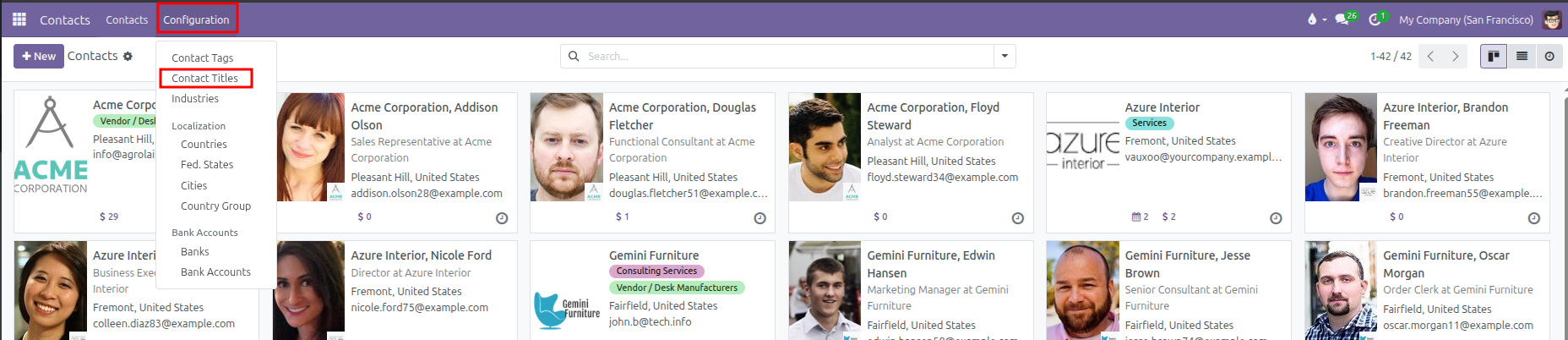
CURQ displays the table of existing titles with their full name and abbreviation:

3. Create or Edit a Contact Title
You can add custom titles (such as Eng., Rev., or Captain) directly in the table:
Click New at the top left of the list, or click into an empty row at the bottom of the table.
Configure the title properties:
Field |
Description |
Practical Effect |
|---|---|---|
Title |
Full title name (such as |
Appears in administrative views and configuration menus. |
Abbreviation |
Short code or salutation (such as |
Displays when selecting titles on contact forms and email greetings. |
Click outside the row or click Save at the top left to store your changes.
(To delete an unused title, select its row checkbox and click Actions > Delete).
4. Assign a Title to an Individual Contact
To set a title on a contact profile:
Open the Contacts app.
Select an individual contact (or click + New and choose Individual).
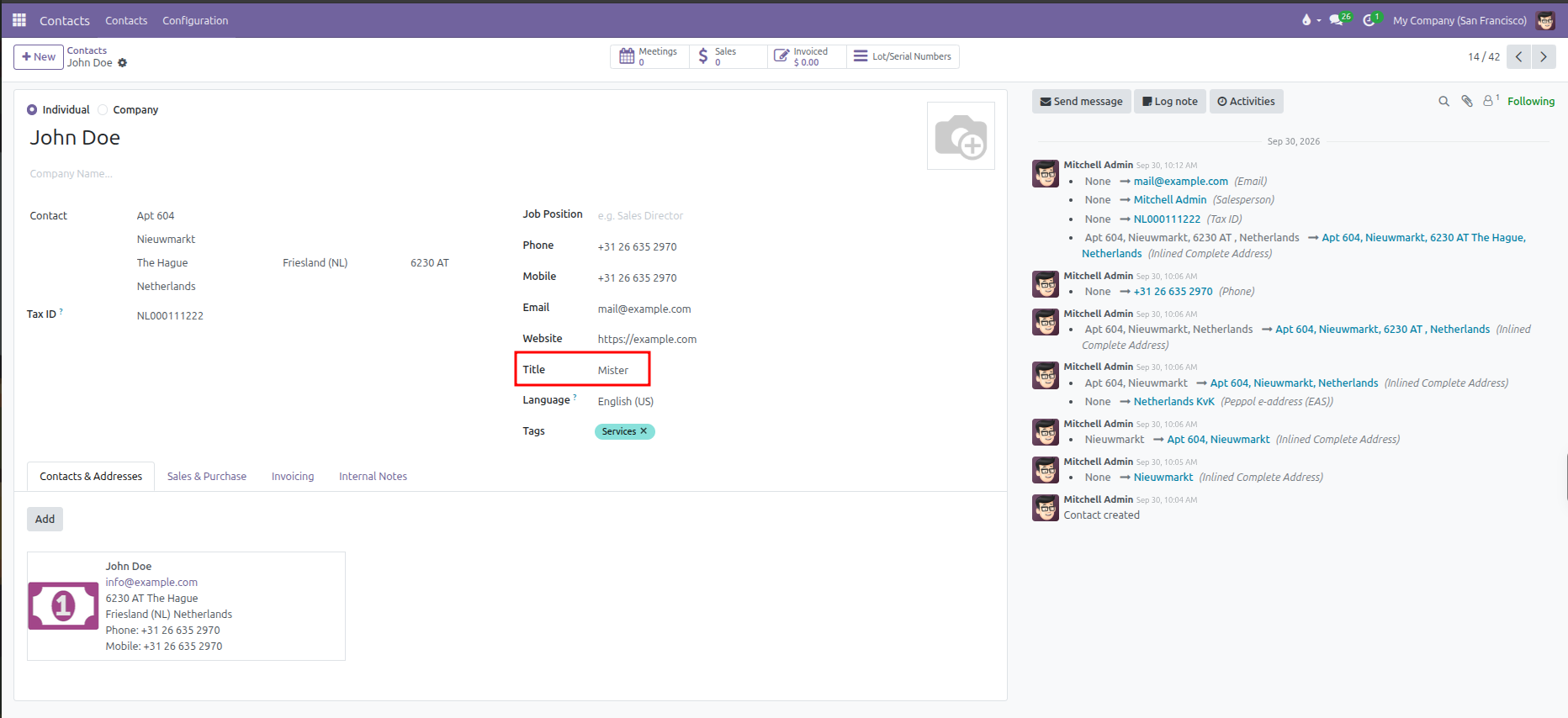
On the right side of the form, locate the Title field (under Website and above Language).
Click the dropdown and select the appropriate title.
Click Save (cloud icon) to apply the title.
5. Practical Impact Across CURQ
Setting contact titles produces consistent benefits throughout your system:
Professional Communications: Email templates automatically address customers with their correct formal salutation.
Printed Documents: Delivery slips, quotes, and invoices include respectful personal designations.
Clean Data: Standardizing titles avoids duplicate abbreviations like
MrversusMr..