Industries Setup
Configure business sectors and industrial classifications for company contacts in CURQ 18.
1. Overview of Industries
Industries categorize business partners according to their economic sector (such as Manufacturing, Construction, IT/Communication, or Wholesale/Retail).
Standard sector classifications included in CURQ:
Agriculture: Farming, fishing, and forestry.
Manufacturing: Production and goods fabrication.
Construction: Building and infrastructure development.
Wholesale/Retail: Trade and vehicle repair.
IT/Communication: Software, telecom, and information services.
Finance/Insurance: Banking, investment, and insurance activities.
Real Estate: Property leasing and management.
Food/Hospitality: Hotels, restaurants, and food service.
(Industry classifications apply exclusively to companies and are hidden on individual person records).
2. Access the Industries Menu
To view and customize the list of industries:
Open the Contacts app from the main dashboard.
In the top navigation bar, click Configuration.
Select Industries.
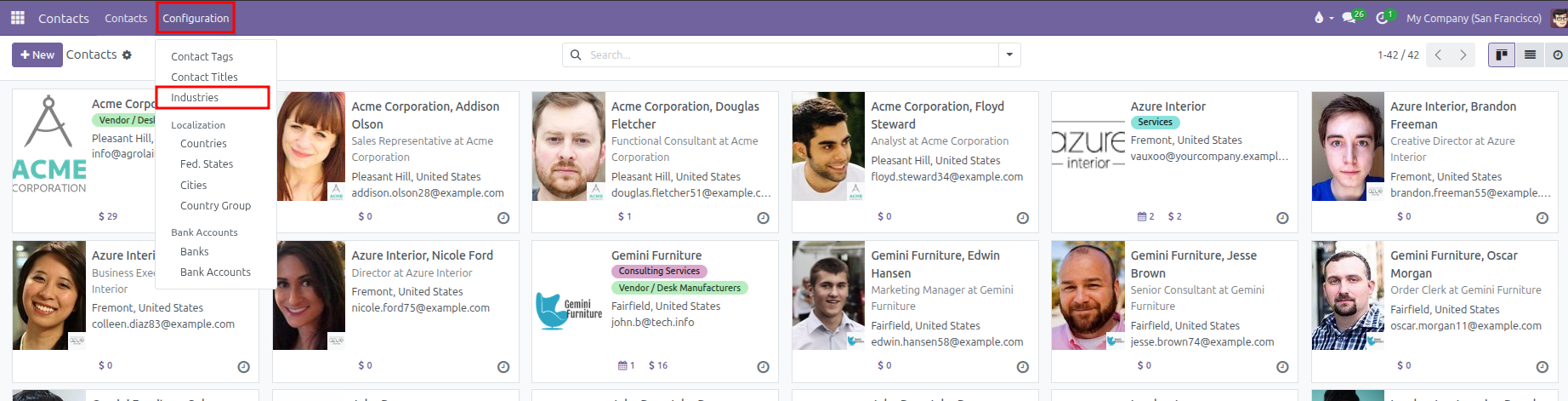
CURQ displays the table of economic sectors with their short code name and full description.
3. Create or Edit an Industry
You can add custom industry sectors or niche business classifications directly in the table:
Click New at the top left of the list, or click into an empty row at the bottom of the table.
Configure the industry fields:
Field |
Description |
Practical Effect |
|---|---|---|
Name |
Short sector name or code (such as |
Displays in selection dropdowns on company contact forms. |
Full Name |
Extended classification title or code standard (such as |
Clarifies the exact scope of the business sector. |
Click outside the row or click Save at the top left to store your changes:
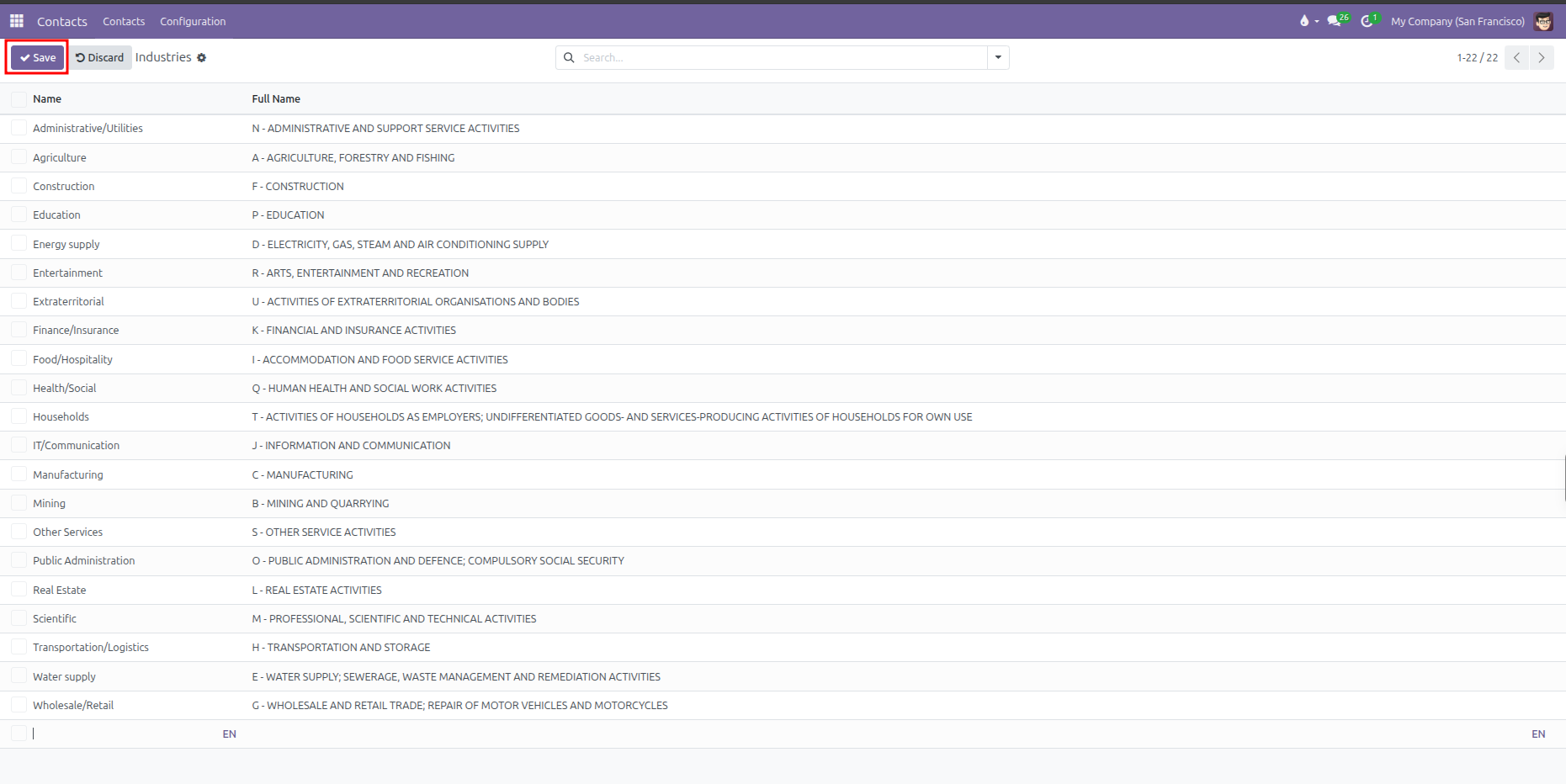
(To deactivate a sector without deleting historical records, click into the industry form and switch off the Active toggle).
4. Assign an Industry to a Company Contact
To classify a business client or supplier by industry:
Open the Contacts app.
Select a company contact (or click + New and leave the type as Company).
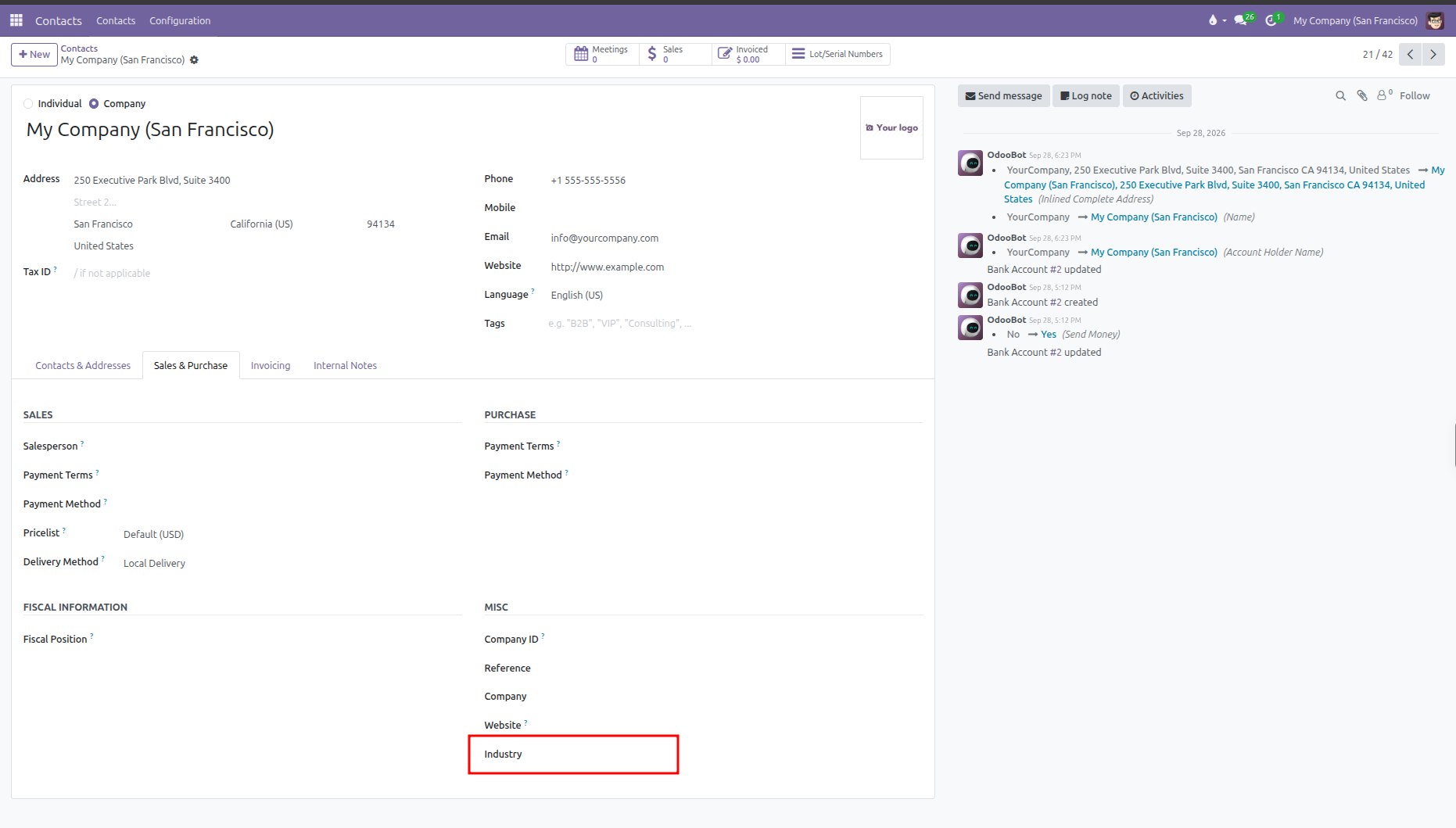
Select the Sales & Purchase tab.
Under the Misc section on the right, locate the Industry field.
Select the relevant sector from the dropdown list.
Click Save (cloud icon) to update the company profile.
5. Filter and Segment Contacts by Industry
Once industries are assigned, teams can segment business partners easily:
In the Contacts directory, click into the search bar.
Click the search dropdown and select Add Custom Filter.
Set the filter rule: Industry is equal to your target sector (for example,
Manufacturing).Click Apply to view all businesses belonging to that sector.