Configure Bank Journal
Overview
The Bank Journal is used to record all transactions related to a bank account.
Examples include:
Customer payments
Supplier payments
Bank transfers
Deposits
Withdrawals
Bank charges
Add a Bank Account
First, you need to add a bank account before configuring its journal.
Navigate to:
Invoicing → Configuration → Add a Bank Account
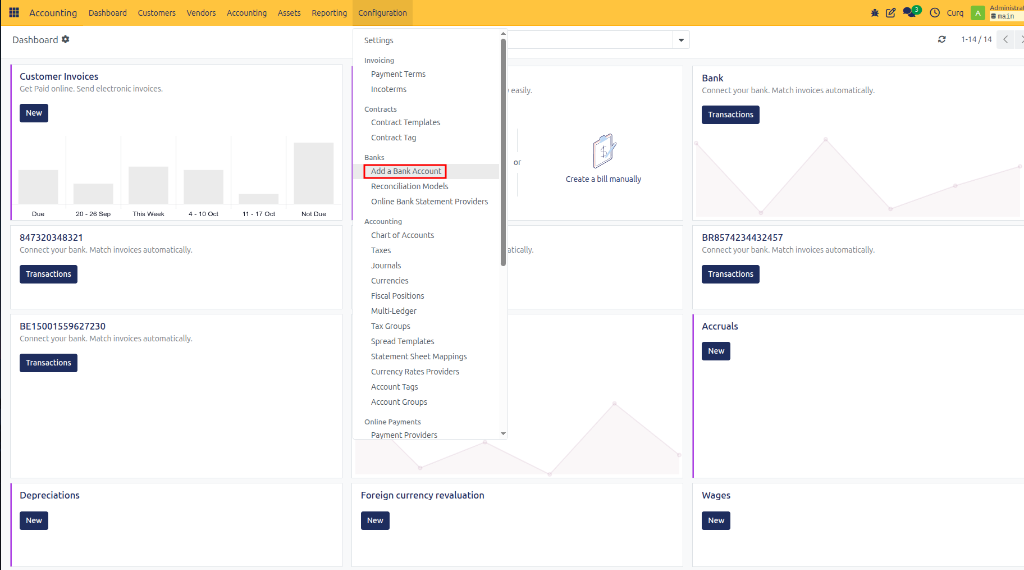
This will open a setup wizard to link or create your bank account.
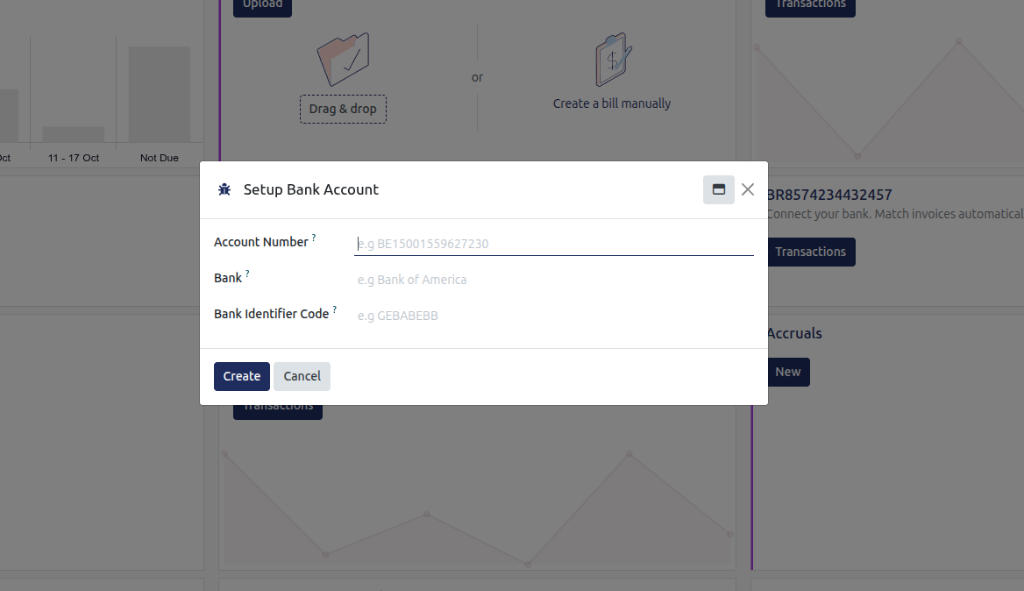
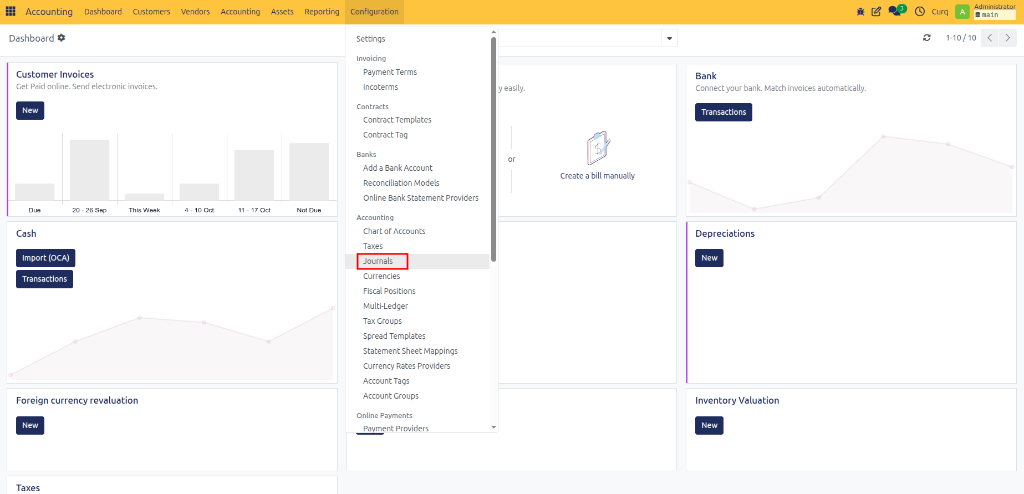
After adding the bank account, you can access and configure its journal by navigating to:
Invoicing → Configuration → Journals
Journal Entries Tab
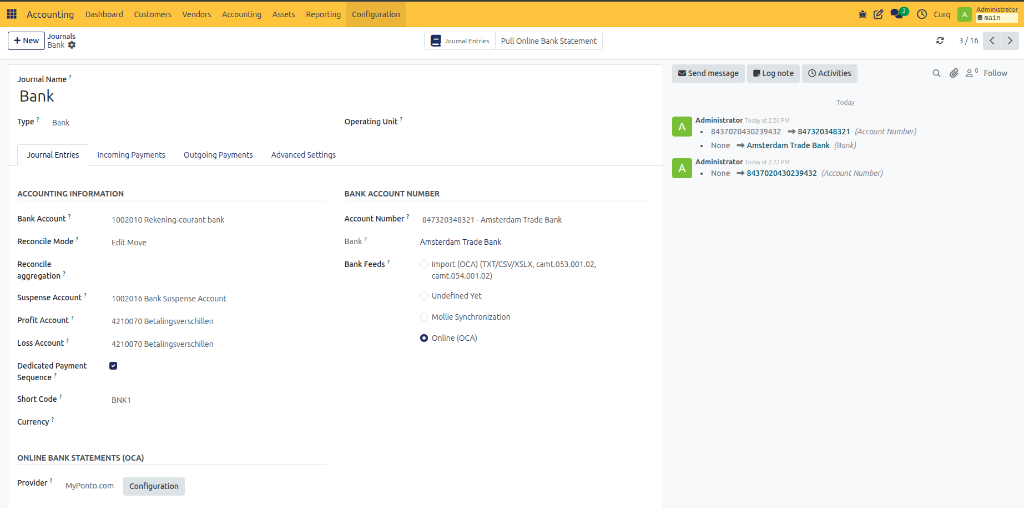
Accounting Information
Field |
Description |
|---|---|
Bank Account |
The general ledger account linked to this bank journal. |
Reconcile Mode |
Determines how bank transactions are reconciled with accounting entries. |
Reconcile Aggregation |
Controls how transactions are grouped during reconciliation. |
Suspense Account |
Temporary account used for unreconciled bank transactions. |
Profit Account |
Account used to record reconciliation gains or positive differences. |
Loss Account |
Account used to record reconciliation losses or negative differences. |
Dedicated Payment Sequence |
Uses a separate numbering sequence for payments created from this journal. |
Short Code |
Unique code used to identify the journal. |
Currency |
Currency used for transactions in this journal. |
Bank Account Number
Field |
Description |
|---|---|
Account Number |
The bank account number linked to the journal. |
Bank |
The financial institution associated with the account. |
Bank Feeds |
Method used to import bank transactions automatically or manually. |
Online Bank Statements (OCA)
Field |
Description |
|---|---|
Provider |
Service provider used to retrieve bank statements automatically. |
Configuration |
Opens the bank feed configuration settings. |
Incoming Payments Tab
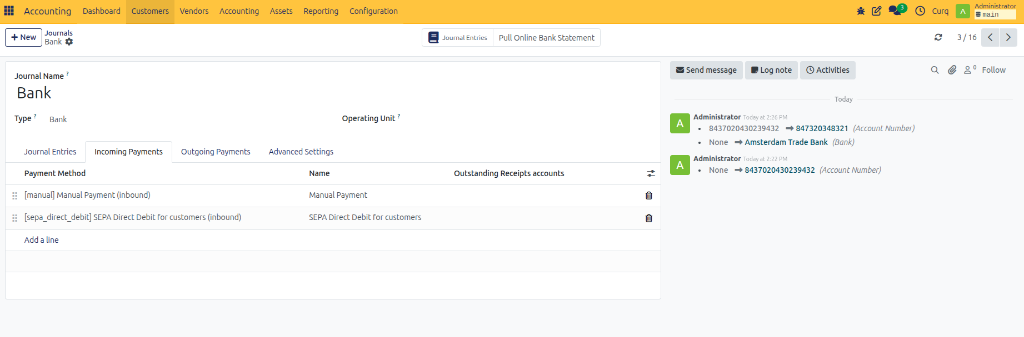
This tab defines which payment methods customers can use when paying invoices.
Field |
Description |
|---|---|
Payment Method |
Method used to receive customer payments. |
Name |
Display name of the payment method. |
Outstanding Receipts Account |
Temporary account used until the incoming payment is reconciled. |
Common Payment Methods
Method |
Description |
|---|---|
Manual Payment |
Payment entered manually by the user. |
SEPA Direct Debit for Customers |
Collect payments automatically from customer bank accounts using SEPA Direct Debit. |
Outgoing Payments Tab
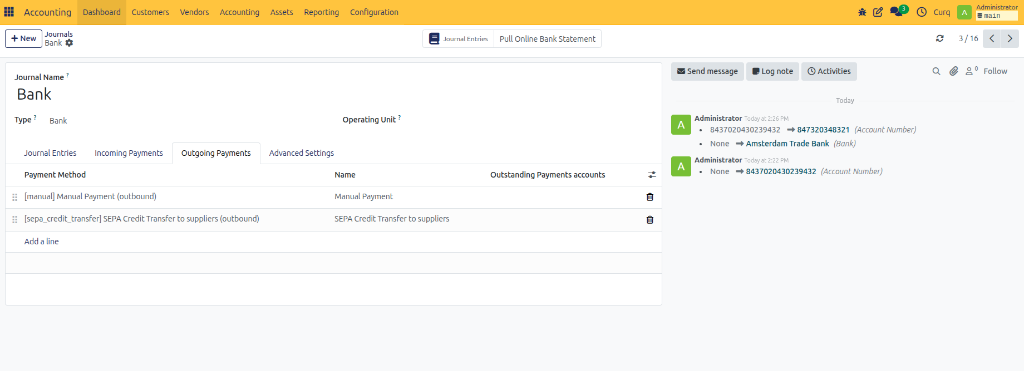
This tab defines how supplier and vendor payments are processed.
Field |
Description |
|---|---|
Payment Method |
Method used to send payments. |
Name |
Display name of the payment method. |
Outstanding Payments Account |
Temporary account used until the outgoing payment is reconciled. |
Common Payment Methods
Method |
Description |
|---|---|
Manual Payment |
Payment is processed manually. |
SEPA Credit Transfer for Suppliers |
Creates SEPA payment files for supplier payments. |
SEPA Credit Transfer allows CURQ to generate payment files that can be uploaded to your bank.
Advanced Settings Tab
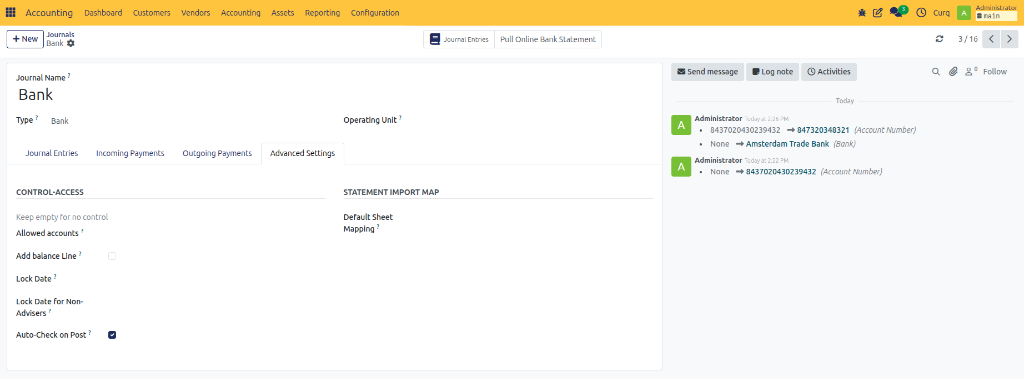
Control Access
Field |
Description |
|---|---|
Allowed Accounts |
Restricts the journal to specific accounts. Leave empty to allow all accounts. |
Add Balance Line |
Automatically adds a balancing line when required. |
Lock Date |
Prevents entries from being created or modified before the selected date. |
Lock Date for Non-Advisers |
Restricts non-accounting users from editing older entries. |
Auto-Check on Post |
Automatically marks entries as checked when posted. |
Statement Import Map
Field |
Description |
|---|---|
Default Sheet Mapping |
Defines how columns from imported bank statement files are mapped to CURQ fields during import. |