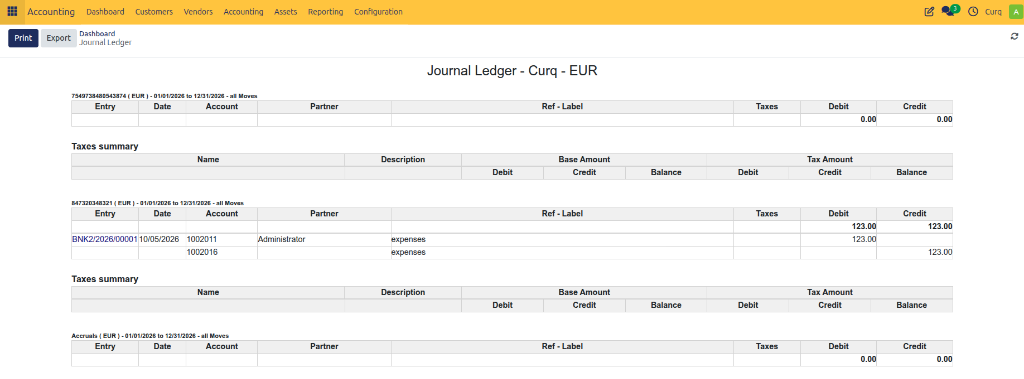
Journal Ledger
Overview
The Journal Ledger report provides a detailed list of all accounting entries recorded in selected journals during a specific period.
It helps accountants and finance teams:
Review accounting transactions.
Audit journal activity.
Verify posted entries.
Analyze debits and credits.
Export accounting records for reporting or compliance purposes.
Each journal entry is displayed with its transaction details, amounts, dates, and related accounts.
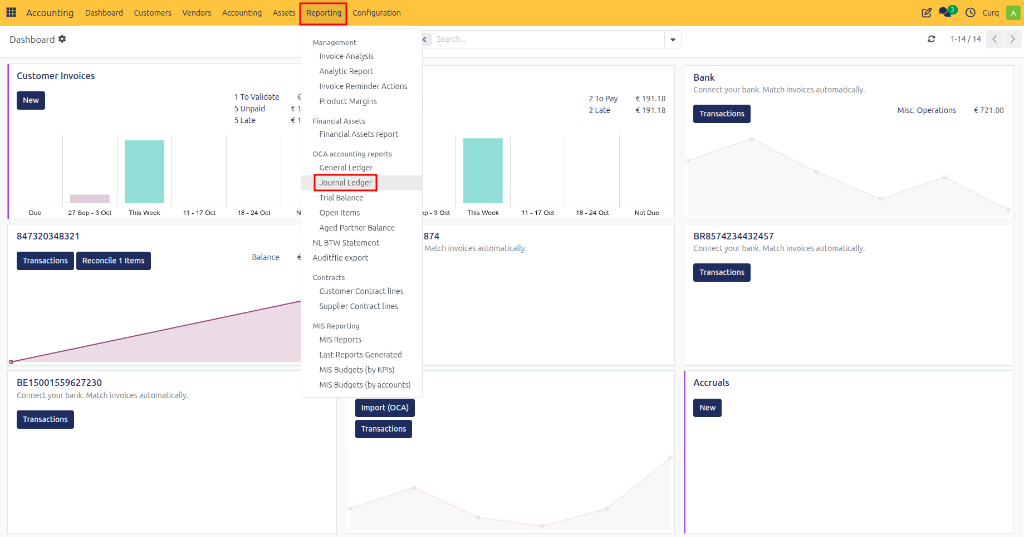
Navigate to: Accounting → Reporting → Journal Ledger
Report Fields
Before generating the report, you can configure several filters to display the required data.
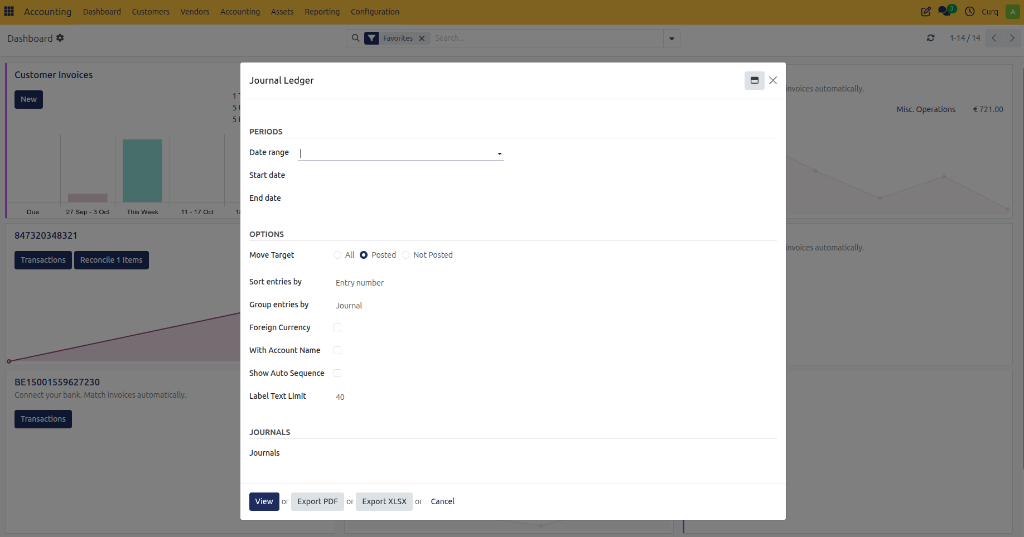
Periods
Field |
Description |
|---|---|
Date Range |
Select a predefined reporting period such as This Month, This Quarter, or This Year. |
Start Date |
Beginning date of the reporting period. |
End Date |
Ending date of the reporting period. |
Options
Field |
Description |
|---|---|
Move Target |
Determines which journal entries are included in the report. |
All |
Includes both draft and posted entries. |
Posted |
Includes only validated journal entries. |
Not Posted |
Includes only draft journal entries. |
Sort Entries By |
Defines how entries are ordered in the report. |
Group Entries By |
Groups entries by journal or another selected option. |
Foreign Currency |
Displays original foreign currency amounts. |
With Account Name |
Shows account names together with account codes. |
Show Auto Sequence |
Displays automatically generated entry numbers. |
Label Text Limit |
Limits the number of characters displayed for entry descriptions. |
Journal Filters
Field |
Description |
|---|---|
Journals |
Select one or more journals to include in the report. |
Common journals include:
Customer Invoices
Vendor Bills
Bank
Cash
Miscellaneous Operations
Sales
Purchases
Available Actions
Action |
Description |
|---|---|
View |
Displays the Journal Ledger report on screen. |
Export PDF |
Downloads the report as a PDF document. |
Export XLSX |
Downloads the report as an Excel spreadsheet. |
Cancel |
Closes the report wizard without generating a report. |
Viewing the Report
Once generated, the Journal Ledger report displays a detailed breakdown of all journal activity based on the selected filters.