Configure Sales Journal
Overview
The Sales Journal is used to record all customer invoices and sales transactions. Every sales invoice created in CURQ is posted through a Sales Journal.
You can access Sales Journals by navigating to:
Invoicing → Configuration → Journals
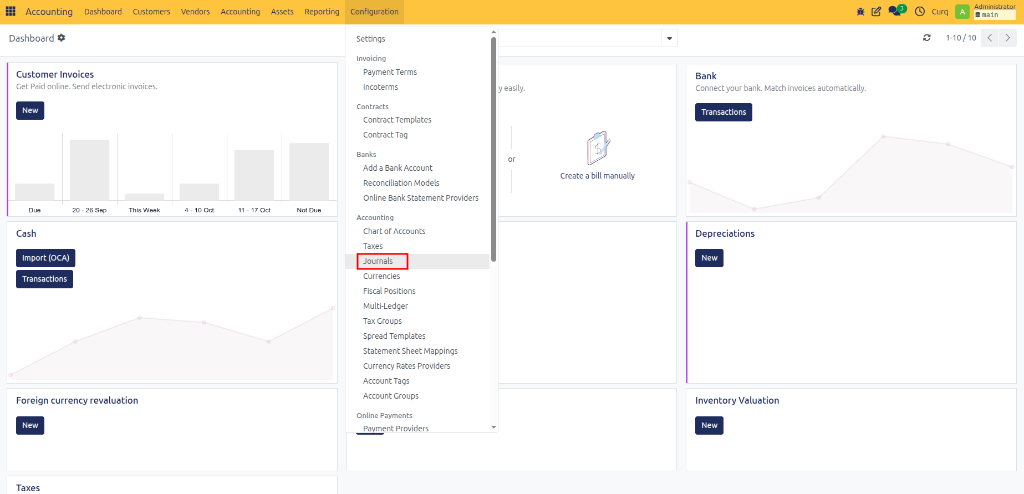
Select an existing Sales Journal or create a new one.
Journal Settings
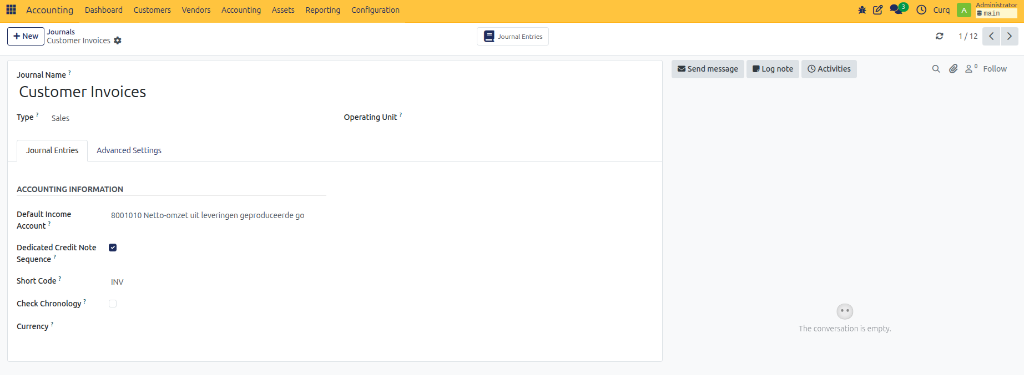
Field |
Description |
|---|---|
Default Income Account |
The general ledger account used when creating sales invoices. If no specific income account is configured on the product, CURQ uses this account automatically. |
Dedicated Credit Invoice Sequence |
Enable this option if you want credit notes to use a separate numbering sequence from regular sales invoices. |
Short Code |
A unique identifier for the journal. All journal entries created in this journal use this prefix. Example: |
Check Chronology |
Enable this option to ensure journal entries are posted in chronological order. This prevents invoices from being posted in incorrect accounting periods. |
Currency |
Defines the default currency for the journal. In most cases, this field can remain empty. Users can select a different currency directly on the invoice when needed. |
Advanced Settings
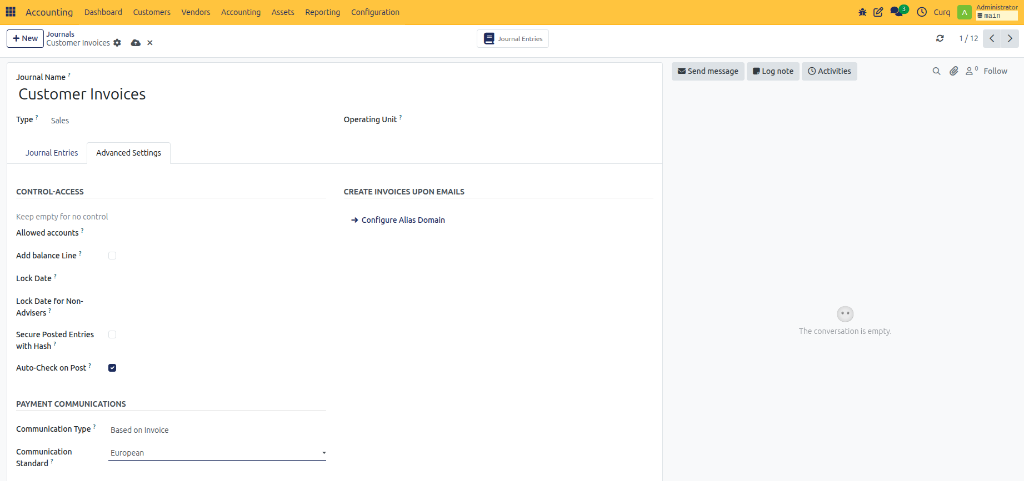
Field |
Description |
|---|---|
Allowed Accounts |
Restrict this journal to specific accounts. Leave empty to allow all accounts. |
Add Balance Line |
Automatically adds a balancing line if the journal entry is not balanced. |
Lock Date |
Prevents users from creating or modifying entries before the specified date. |
Lock Date for Non-Advisers |
Restricts non-accounting users from editing entries before this date. |
Secure Posted Entries with Hash |
Protects posted entries from being modified by applying a security hash. |
Auto-Check on Post |
Automatically marks journal entries as checked when they are posted. |
Create Invoices Upon Emails
Field |
Description |
|---|---|
Configure Alias Domain |
Allows invoices or journal-related records to be created from incoming emails using a configured email alias. |
Payment Communications
Field |
Description |
|---|---|
Communication Type |
Defines how payment references are generated for invoices and payments. |
Communication Standard |
Specifies the payment reference format used, such as European standards for structured payment references. |