Units of Measure Setup
Configure units of measure and measurement categories to sell, price, and track products in various quantities such as units, dozens, kilograms, hours, or liters in CURQ 18.
1. Overview of Units of Measure
Units of measure (UoM) allow businesses to sell, purchase, and stock items in different units while maintaining accurate pricing and inventory levels. For example, a business can purchase beverages by the pallet or crate and sell them by the bottle or pack of six.
Key rules governing units of measure in CURQ 18 include:
Category Boundaries: Conversions only occur between units within the same category. For instance, converting between
UnitsandDozensis valid because both belong to theUnitcategory. Converting betweenKilograms(Weight) andLiters(Volume) is not possible.The Reference Unit: Each category contains exactly one Reference Unit with a ratio of
1.00000. All other units in that category are defined as either larger or smaller relative to this base unit.Automatic Price Calculation: When a salesperson changes the unit of measure on a sales quotation line (such as switching from
UnitstoDozens), CURQ multiplies the price and updates delivery quantities automatically based on the conversion ratio.
Measurement Category |
Reference Unit (Ratio = 1.0) |
Common Additional Units with UI Ratios |
|---|---|---|
Unit |
Units (1.00000) |
Dozens (Bigger: 12.00000) |
Weight |
kg (1.00000) |
t (Bigger: 1000.00000), lb (Smaller: 2.20462), g (Smaller: 1000.00000) |
Working Time |
Days (1.00000) |
Hours (Smaller: 8.00000), Minutes (Smaller: 480.00000) |
Length / Distance |
m (1.00000) |
km (Bigger: 1000.00000), ft (Smaller: 3.28084), cm (100.00000), mm (1000.00000) |
Volume |
L (1.00000) |
m³ (Bigger: 1000.00000), gal (Bigger: 3.78541), fl oz (Smaller: 33.81400) |
2. Access the Units of Measure Categories Menu
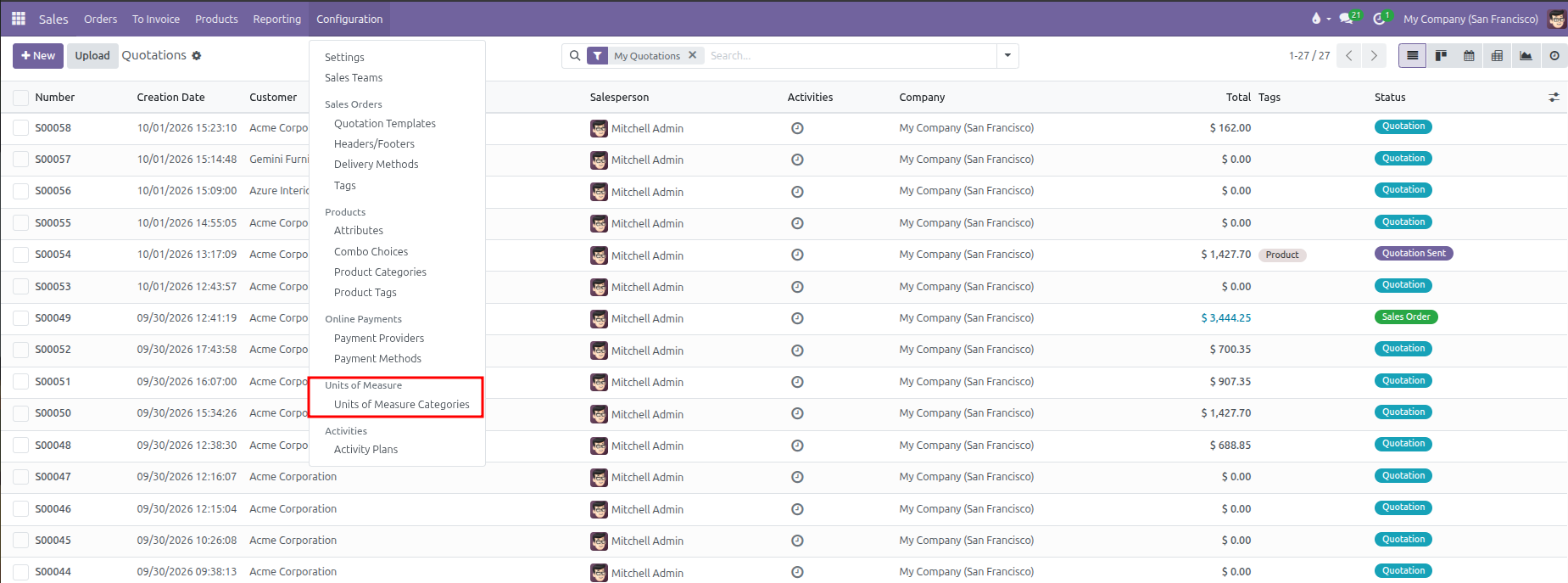
To view and manage measurement categories and units:
Open the Sales app.
In the top navigation bar, click Configuration.
Under the Units of Measure section, select Units of Measure Categories.
CURQ displays the list of existing measurement categories along with all active units configured under each:
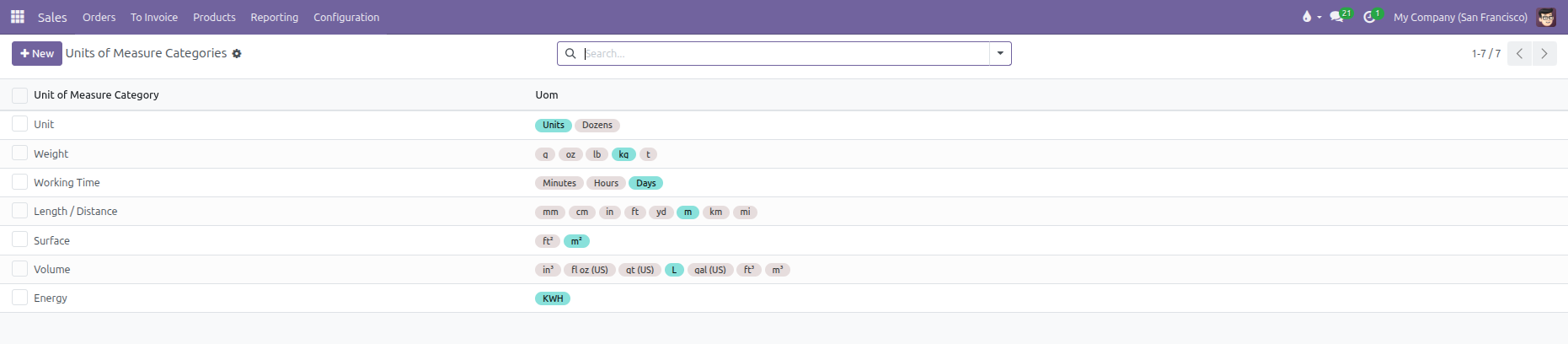
Column |
Description |
|---|---|
Unit of Measure Category |
The general classification name (such as |
Units of Measure |
Colored badges showing all individual units belonging to that category (reference units appear in turquoise and secondary units in gray). |
3. Create or Edit a Unit of Measure Category
To edit an existing category or configure new units:
From the Units of Measure Categories list, click an existing category (such as
VolumeorUnit) or click New.Enter or review the Category Name.
Under the Units of Measure tab, review the conversion table:
Field |
Configuration Rule |
Practical Example |
|---|---|---|
Unit of Measure |
Enter the name of the unit. |
|
Type |
Select one of three roles: |
For Volume, |
Ratio |
Defines the conversion rate relative to the reference unit: |
For |
Active |
Checkbox controlling whether the unit is available on products and sales orders. |
Uncheck to retire a unit without breaking past sales records. |
Rounding Precision |
The smallest permitted quantity step. |
Set to |
Click Add a line to introduce a new packaging or sales unit (such as
Pack of 6with ratio6.00000).Click the manual save icon or navigate away to save changes.
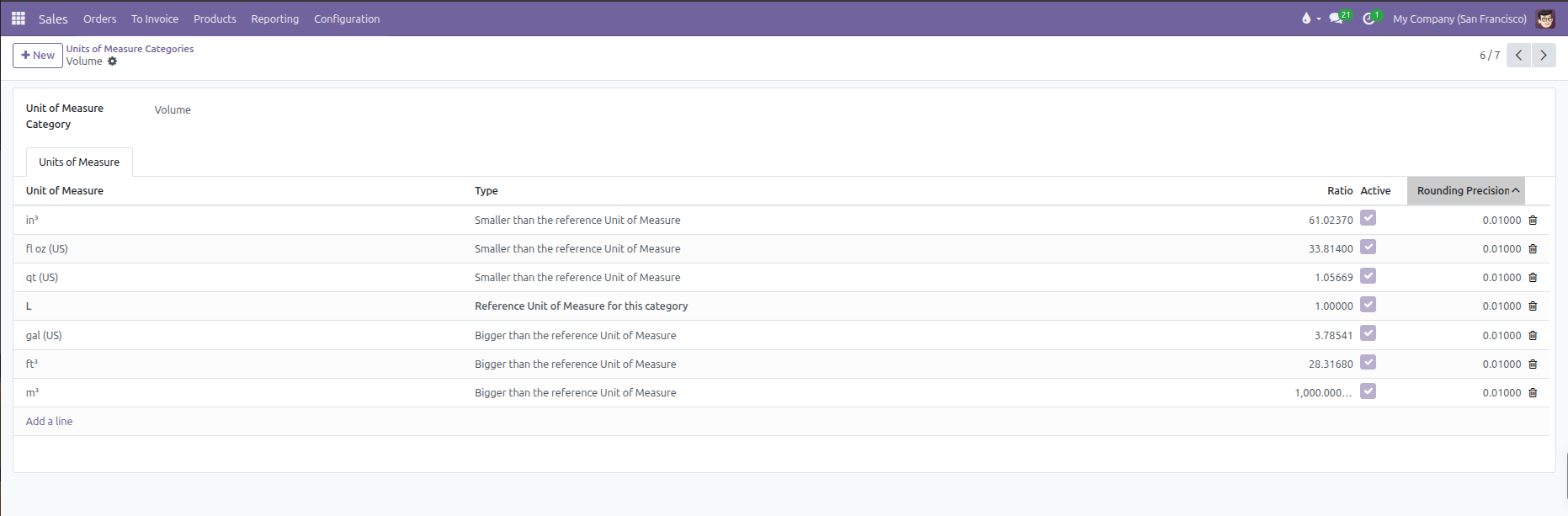
(Note: Every category must always have exactly one Reference Unit. Do not delete or change the reference unit while active products are linked to that category)
4. Assign Default Units of Measure to Products
Products use units of measure to determine how they are priced, invoiced, and tracked:
Navigate to Sales > Products > Products.
Open an existing product (such as
Fair Phone 5) or click New.In the General Information tab, locate the Sales Price field on the right side.
The Unit of Measure is embedded inline directly beside the sales price as per [Unit]:
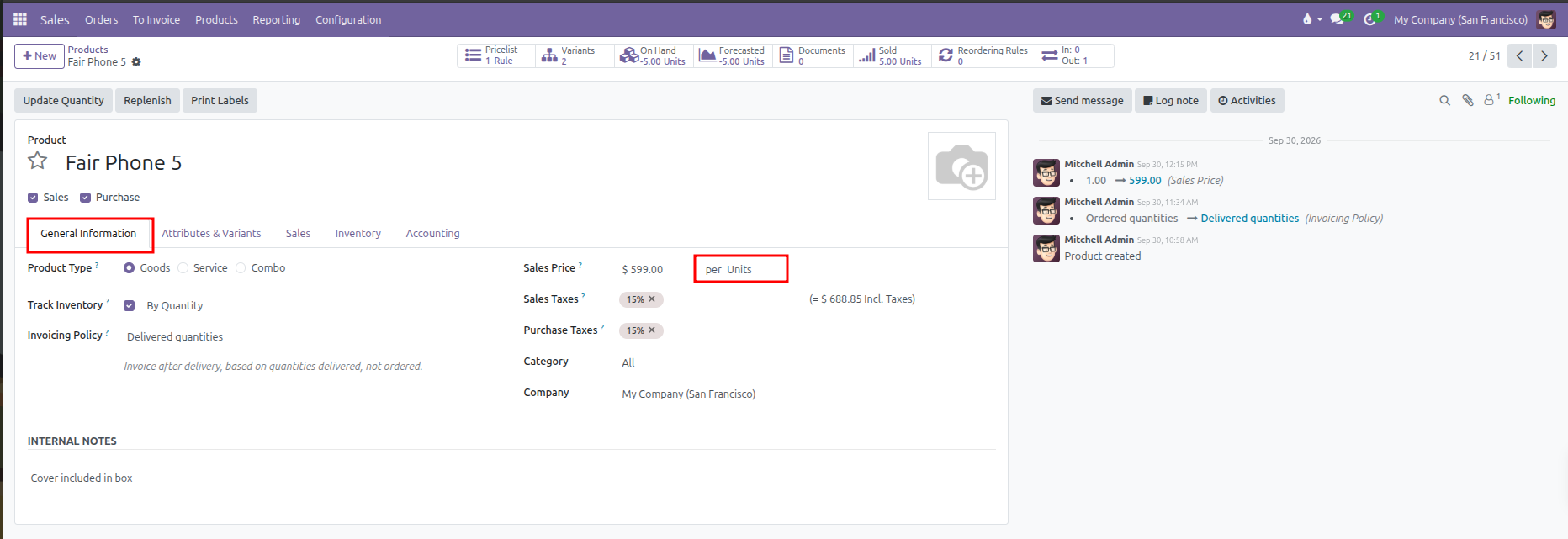
Click the unit name (such as
Units) to open the dropdown and select an alternative default unit from the category (such asDozensorHours).The Cost field below it automatically reflects the same unit (for example,
Cost: $ 0.00 per Units).Save the product record.
5. Sell in Different Units of Measure on Quotations
Sales orders allow selecting any unit of measure from the product category:
Navigate to Sales > Orders > Quotations and open a draft quotation.
In the Order Lines tab, click Add a product and select an item (such as
Fair Phone 5).Locate the UoM column on the order line:
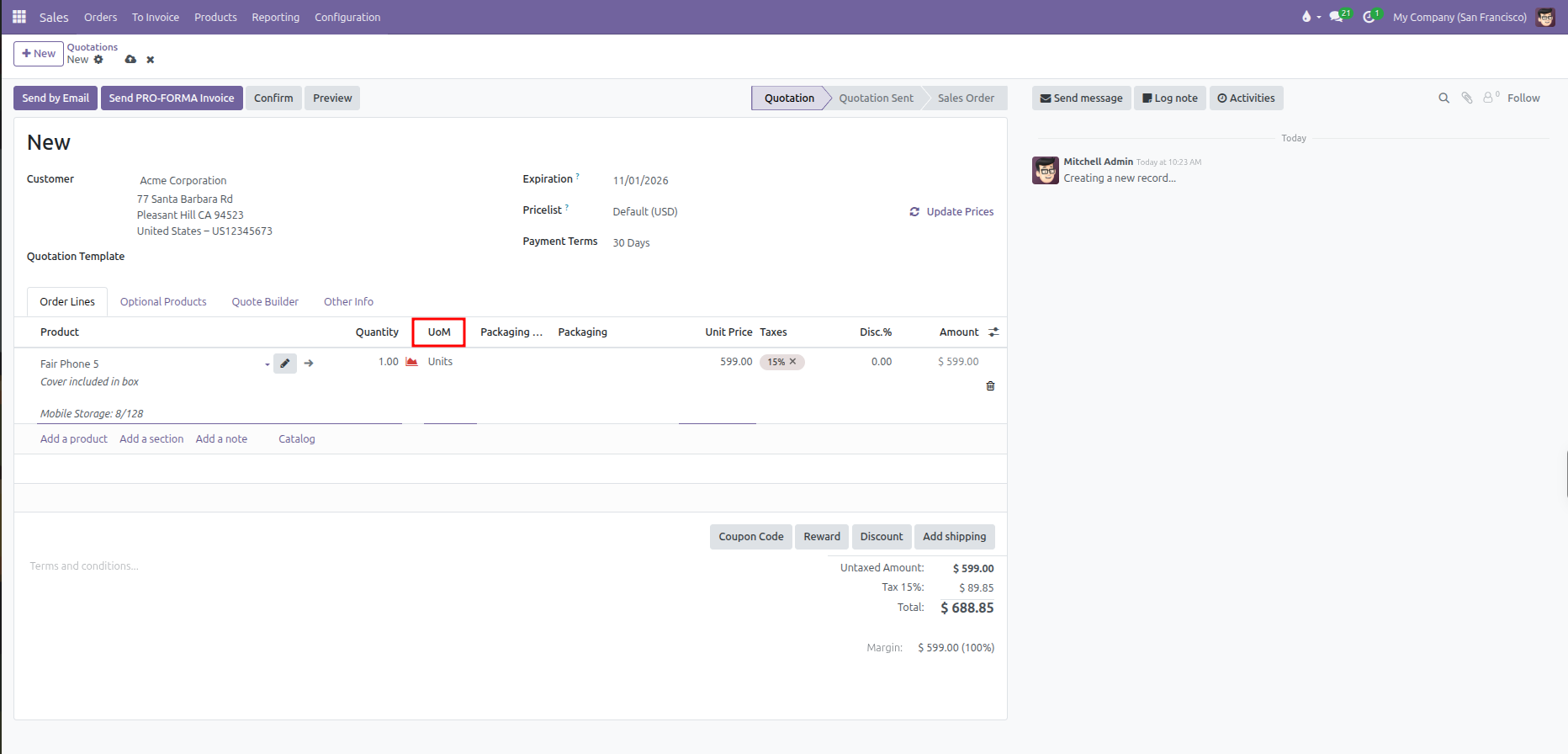
Click the UoM field or select Search More… to open the unit selection window:
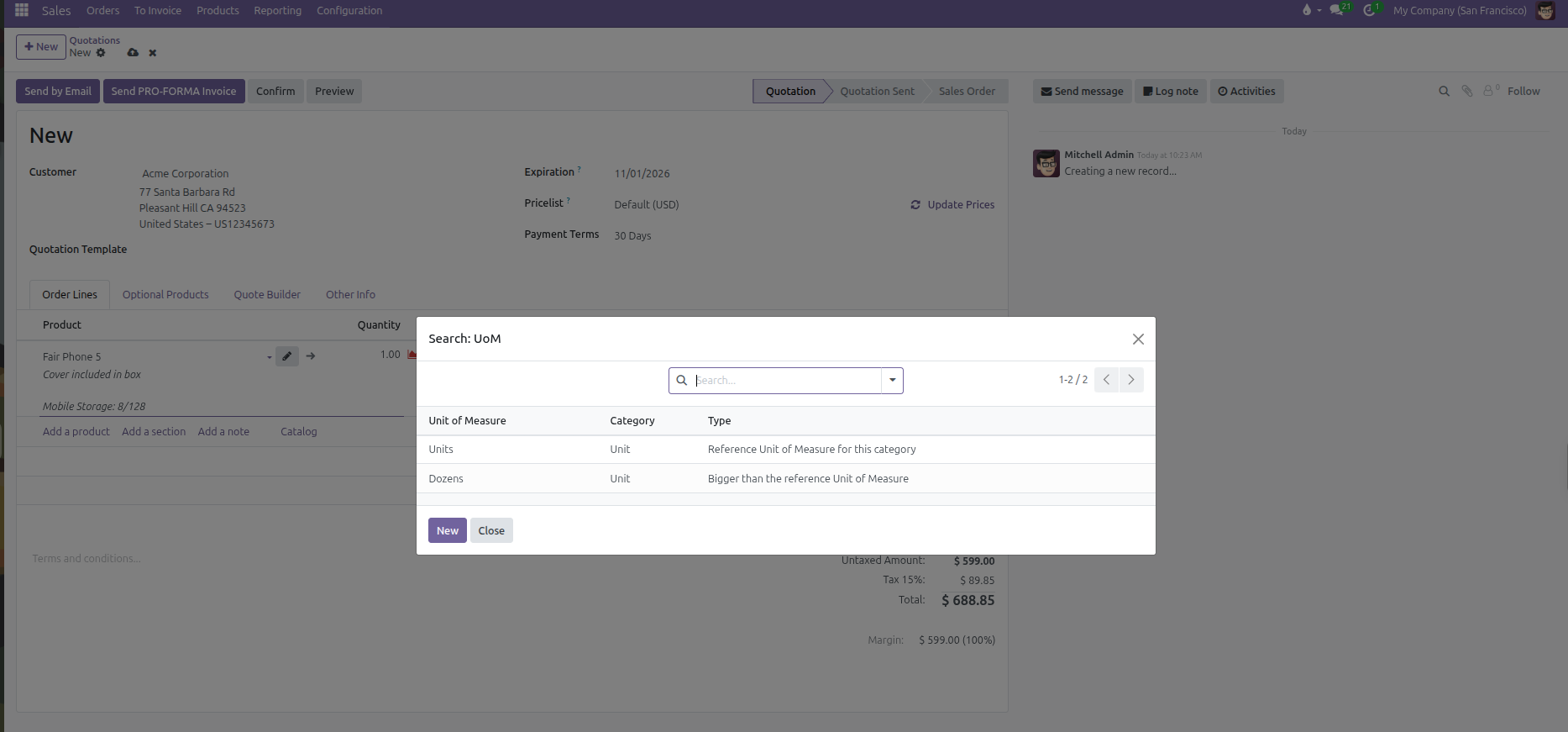
Select an alternative unit (such as
Dozens).CURQ recalculates the order line immediately:
The Unit Price automatically multiplies by the conversion ratio. For example, selecting 1 Dozen of
Fair Phone 5recalculates the unit price from$ 599.00(single phone price) to$ 7,188.00(12 phones x $ 599.00).The line amount and tax totals update automatically to reflect the dozen bundle price.
Upon order confirmation, the warehouse delivery order reserves 12 individual base units from stock.
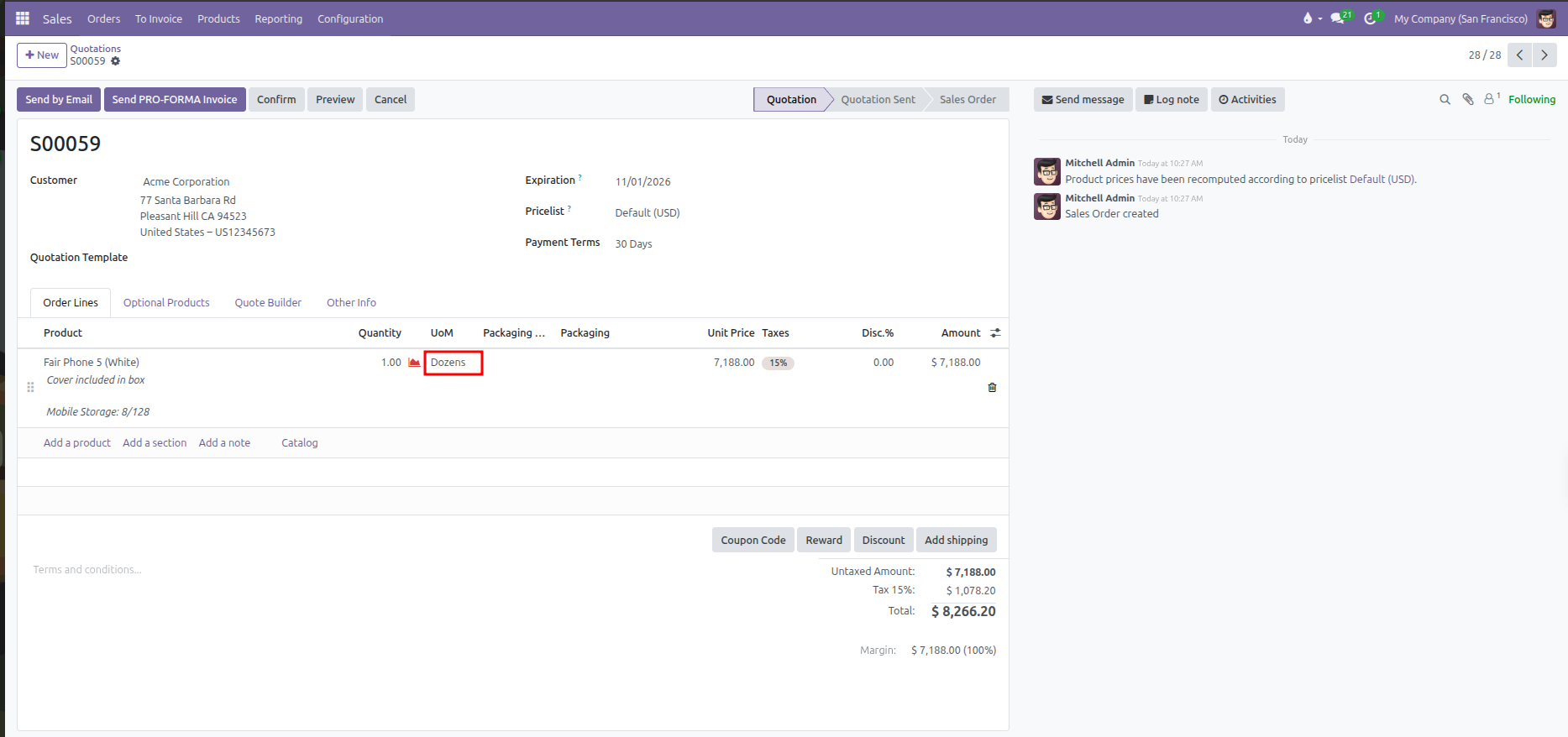
Save or send the quotation.