Configure B2B VAT
Overview
B2B (Business to Business) refers to transactions between businesses. Examples include wholesalers, manufacturers, consultants, and service providers selling products or services to other companies.
In a B2B environment, prices are generally displayed excluding VAT. Business customers often need to see the VAT amount separately for accounting and tax reporting purposes.
For example:
Description |
Amount |
|---|---|
Product Price |
€100 |
VAT (21%) |
€21 |
Total Amount |
€121 |
The customer sees both the product value and the VAT amount separately.
CURQ supports B2B VAT processing by automatically applying VAT-exclusive pricing to products, sales orders, and invoices.
Configure B2B VAT Settings
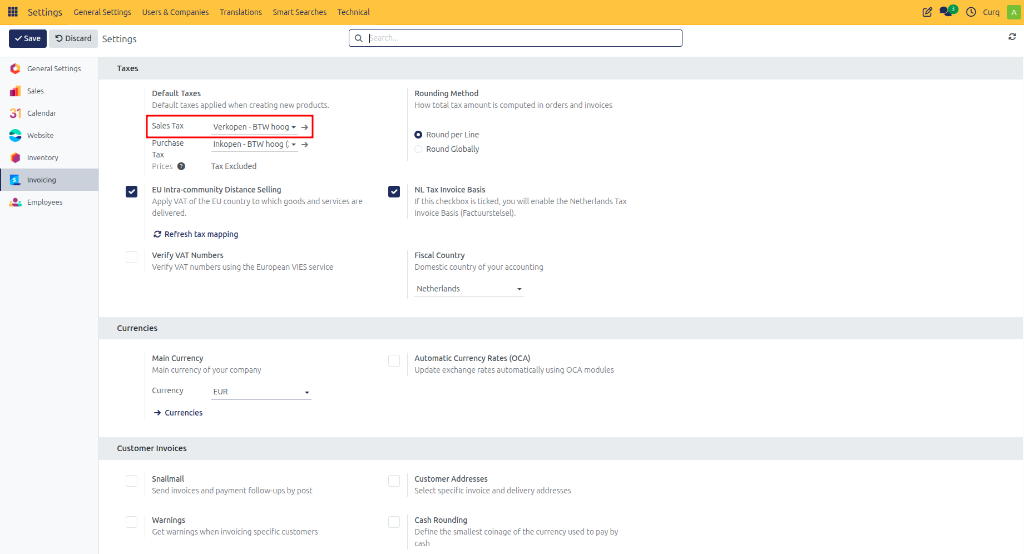
Step 1: Configure Default Sales VAT
Navigate to:
Settings → Invoicing → Taxes
Select a VAT code that excludes VAT as the default Sales VAT.
Step 2: Configure Customer Invoice Display
Navigate to:
Settings → Invoicing → Customer Invoices
Set the invoice price display to: Tax Excluded
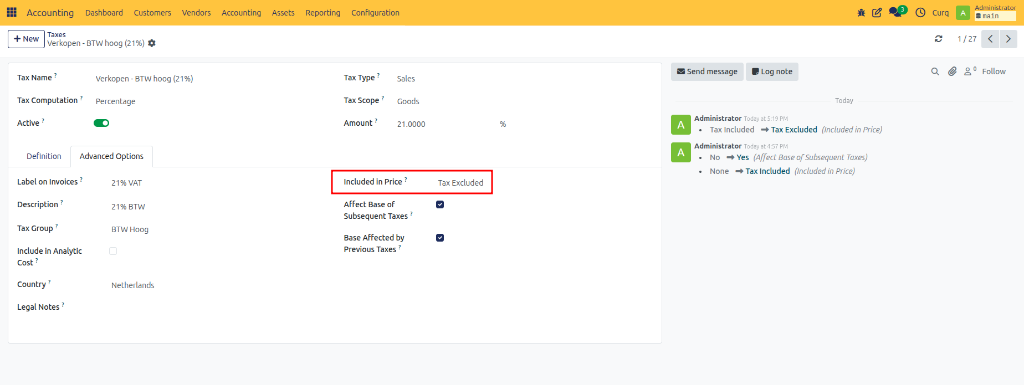
Step 2: Configure Tax Exclusion
Navigate to:
Accounting → Configuration → Taxes
Open the required tax and set Included in Price to Tax Excluded.
This ensures that the sales price entered on products and invoices excludes VAT.
Product Pricing in B2B
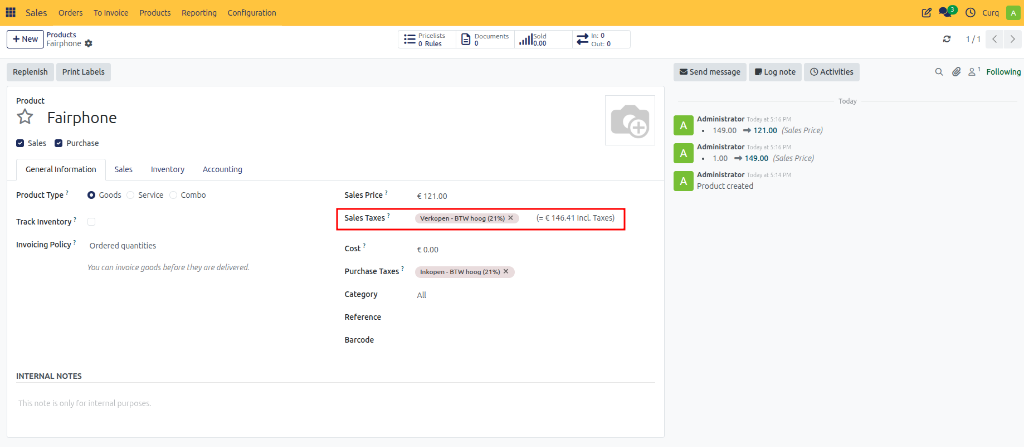
When creating products:
Enter the sales price excluding VAT.
CURQ automatically calculates the VAT amount.
The system also displays the total price including VAT.
VAT-exclusive taxes are assigned automatically based on the configured settings.
Example
Description |
Amount |
|---|---|
Sales Price (Excluding VAT) |
€100 |
VAT (21%) |
€21 |
Total Price (Including VAT) |
€121 |
With these settings:
Product prices are displayed excluding VAT.
Sales orders show separate VAT amounts.
Customer invoices clearly display VAT breakdowns.
Business customers can easily identify VAT amounts for tax reporting.